Plumber Scheduling Software: The 2026 Ultimate Guide
Find the best plumber scheduling software for your business. This guide covers core features, pricing, benefits, and key questions to ask vendors in 2026.

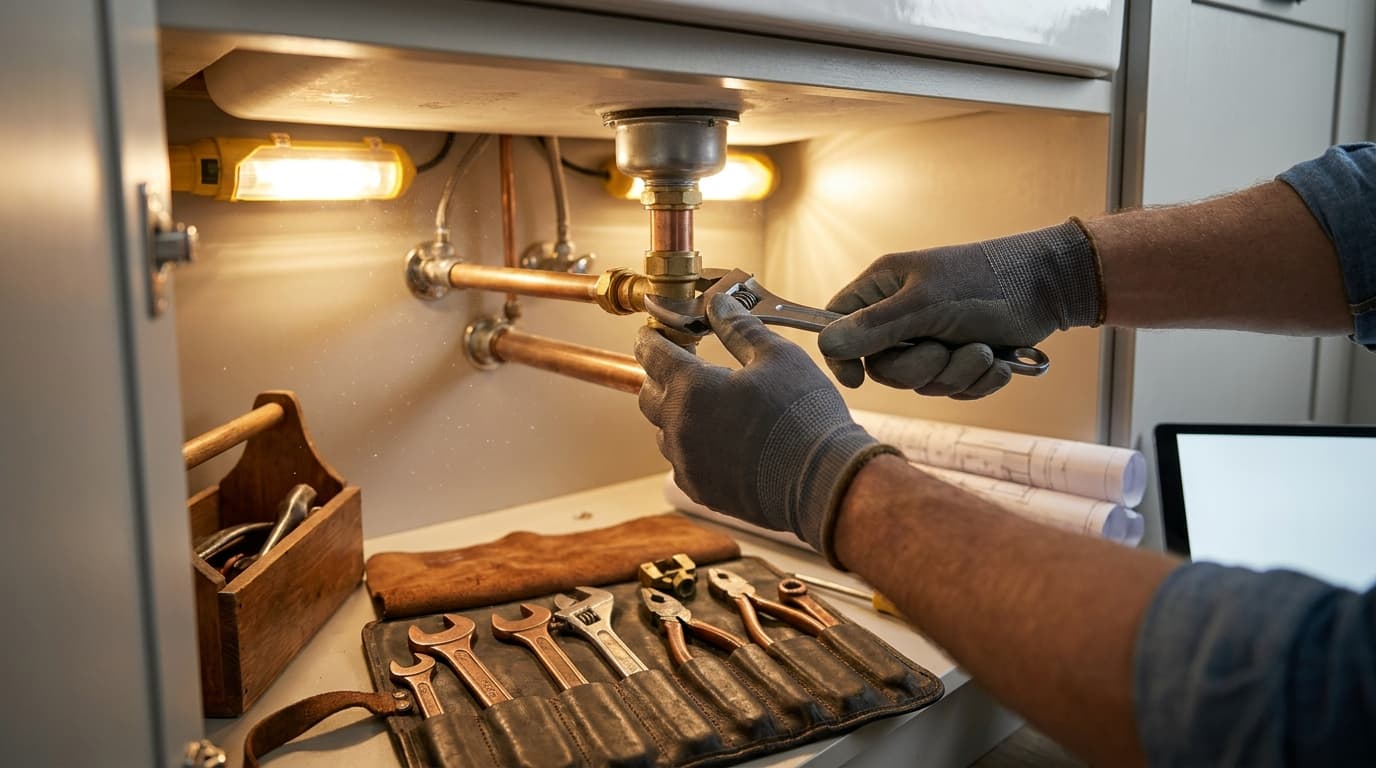
The strongest argument for plumber scheduling software isn't convenience. It's margin protection. In a U.S. plumbing industry projected to reach $121.5 billion in 2026, businesses that adopt scheduling software have seen a 10% increase in average profit margins, 5 hours per week less non-billable admin time, and fuel costs reduced by up to 12% with GPS integration according to industry data summarized in Source 9.
For a solo plumber or a two-truck shop, those gains aren't abstract. They show up as fewer missed calls, fewer dead miles, fewer unpaid invoices sitting on the desk, and fewer nights spent finishing paperwork after the tools are put away. Small teams don't have enough slack to absorb bad scheduling. One double-booking, one forgotten estimate, or one technician sent to the wrong job can derail the whole day.
That's why plumber scheduling software matters now. It gives small operators some of the operational control that used to belong only to larger service companies.
The End of Paperwork Chaos
Paper systems usually fail in predictable ways. The office writes down the call, someone misreads the address, a tech gets routed across town for a job another tech could've handled, and the invoice gets created later if anyone remembers. Owners then wonder why the calendar looked full but cash still feels tight.
That gap is where small plumbing businesses lose money. In a trade with constant schedule changes, paperwork isn't just annoying. It creates operational drag that compounds across the week.
Where small shops get squeezed
The biggest problem isn't that paper calendars are old-fashioned. It's that they split the business into disconnected pieces. Intake lives on a phone pad. Scheduling lives on a whiteboard. Job notes stay in the truck. Billing sits in a folder until the end of the day.
That setup creates four common leaks:
- Double bookings happen easily when nobody has one live schedule everyone trusts.
- Dispatch gets slower because the person assigning jobs has to call or text each tech for status updates.
- Invoices go out late when job completion doesn't automatically trigger billing.
- Owners become the backup system for every missing detail, every schedule conflict, and every customer complaint.
A lot of contractors in adjacent trades have run into the same wall. If you're comparing how field teams use software to streamline electrical company operations, the lesson carries over directly. The businesses that centralize dispatch, technician status, and billing tend to operate with fewer avoidable handoffs.
Practical rule: If the schedule, work order, and invoice live in different places, someone is doing unpaid coordination work every day.
Why digitizing the workflow changes the business
Good plumber scheduling software doesn't just replace a paper calendar. It compresses the gap between booking, dispatch, job completion, and payment. That matters because administrative work previously consumed nearly 15% of a plumber's operational day in the Source 9 dataset behind the industry summary on scheduling software adoption.
For a solo operator, that means less office work at night. For a small crew, it means the owner doesn't have to personally mediate every change. The system catches conflicts, updates the field, and keeps jobs moving.
The practical upside is simple:
| Operational issue | What manual systems do | What software does better |
|---|---|---|
| Emergency call comes in | Forces a scramble of calls and texts | Shows availability and lets dispatch reshuffle quickly |
| Tech runs late | Customer waits without updates | ETA and status can be updated in one place |
| Job is completed | Paperwork piles up | Billing can move immediately after closeout |
| Owner checks day performance | Relies on memory and callbacks | Uses live job status and records |
Small plumbing companies don't need enterprise complexity. They need fewer mistakes, faster invoicing, and tighter control of the day.
What Is Plumber Scheduling Software Really
The term "scheduling software" often brings to mind a digital calendar. That's too narrow. Plumber scheduling software is the operational hub of the business. It connects customer intake, dispatch, field updates, billing, and reporting so the same job doesn't get re-entered five different times.
The strongest systems pull phone calls, web requests, and chat inquiries into a single workflow. That matters because jobs that aren't converted quickly can be lost to competitors, as explained in Smart Service's discussion of multi-channel booking and dispatch workflows.

The central system your business actually needs
A small plumbing business usually runs on fragmented tools. The phone handles intake. Text messages handle scheduling changes. A notebook tracks parts. QuickBooks or another accounting tool handles invoices. None of those tools are wrong on their own. The problem is the handoff between them.
When software is set up well, the flow looks more like this:
- A customer request comes in through phone, web form, or chat.
- The office books the job into a live schedule with conflict checking.
- The right technician gets assigned based on availability, location, and job type.
- The technician updates the job in the field without calling back to the office for every detail.
- The invoice is created and sent while the job is still fresh.
That unified model is why smaller service companies can close the gap with larger competitors. A two-person operation can look much bigger to the customer when communication, scheduling, and invoicing feel organized.
Why this matters for solo plumbers
Solo operators often think software is for bigger companies. In practice, they're the ones who feel the pain fastest because every missed call or delayed invoice hits the owner directly. There's no dispatcher, no admin backup, and no billing department. It's just you, your phone, and whatever system you've managed to hold together.
A solo plumber doesn't need more apps. They need one place where the next job, the customer record, and the invoice all connect.
This is also why general operations advice from other service businesses can be useful. The same software principles that help streamline moving business operations apply here too. Centralized intake and fewer manual handoffs make small teams faster.
What plumber scheduling software is not
It isn't magic. Bad pricing, weak technicians, and poor customer communication won't be fixed by a dashboard. Software also won't save a company that refuses to standardize job notes or train techs to use the mobile app.
What it does well is create one source of truth. Everyone sees the same schedule. Everyone works from the same customer information. The office doesn't have to guess where the truck is or whether the job is done.
That's the true value. Order replaces improvisation.
Core Features That Drive Profitability
Feature lists are where most software guides become useless. Owners don't need another roundup telling them a platform has a calendar, mobile app, and invoicing. They need to know which features change the economics of a small plumbing operation.
The most important scheduling features for plumbing are drag-and-drop dispatch, real-time GPS visibility, and skill-based job matching, because dispatchers need to balance routes, location, and technician competency rather than just fill the next open slot, as described in Truein's overview of critical plumber scheduling features.

Dispatch board and route control
A drag-and-drop dispatch board sounds simple. Its impact is not. In a small shop, the schedule changes all day. A tech overruns on a drain call. A landlord needs a same-day leak repair. Another customer isn't home. The dispatcher or owner needs to move jobs fast without losing track of who has what.
What works:
- Live rescheduling that updates the office and field at the same time
- Conflict checking so two people don't get assigned to the same window
- Route-aware dispatching so the nearest qualified person gets the job
What doesn't:
- Static calendars that require manual texting after every move
- Schedule views with no technician visibility
- Systems built like office calendars instead of field dispatch tools
A dispatch board should reduce decision friction. If it takes too many clicks to reshuffle the day, people stop using it.
Skill-based assignment cuts callbacks
This feature matters more than most owners realize. Plumbing isn't one generic trade task. A water heater replacement, leak investigation, drain issue, and fixture install don't require the same technician profile.
Sending the wrong person hurts in three ways. The first visit takes longer. The fix rate drops. The customer loses confidence.
Field lesson: The cheapest dispatch decision is often the one that creates the most expensive callback.
Skill-based matching helps the office avoid that trap. It also protects smaller teams because they can't afford to waste a specialist on low-complexity work if another tech can handle it.
Mobile app use determines whether the software pays off
A lot of companies buy software and then use it like a digital whiteboard. That's half an implementation. The full value appears when technicians work from the mobile app in the field.
The mobile side should let techs:
- Open full job details before arrival
- Add notes and photos while the work is happening
- Update status instantly so the office knows what's done
- Trigger billing workflows without waiting for paperwork to come back
If techs still call the office to ask for addresses, customer notes, or pricing details, the workflow isn't fixed.
A connected field process also works better when paired with a broader maintenance workflow. Landlords and property managers, for example, often expect cleaner handoffs between work orders, vendor updates, and repair completion. That's why systems that align with a maintenance management workflow tend to create less friction on recurring service relationships.
Billing and reporting are profit levers, not back-office extras
Owners often shop software from the dispatch side and ignore billing. That's a mistake. If invoices wait until the end of the week, cash lags behind work already completed. If job notes are weak, billing errors increase and disputes become harder to resolve.
Reporting matters too, but not the bloated enterprise version. A small plumbing company needs operational visibility, not vanity dashboards. The useful questions are practical:
| Feature | Why it matters to a small team |
|---|---|
| Mobile invoicing | Reduces delay between work completion and payment request |
| Job history | Helps on repeat calls and protects against disputes |
| Photo capture | Supports documentation for landlords and owners |
| Basic reporting | Shows technician utilization, job status, and invoice timing |
The best plumber scheduling software turns each feature into one thing. Faster decisions.
Benefits for Plumbers and the Landlords Who Hire Them
Small plumbing companies usually buy software for internal reasons. They want less chaos, tighter dispatch, and cleaner billing. That's valid, but it misses half the business case. Better systems also make the company easier to hire.
The internal gains are already compelling. Companies using integrated scheduling and invoicing platforms report a 22% faster average payment collection cycle, and mobile-first software allows small teams to manage 20% more jobs per week with the same staff, according to Source 5 industry data. For a small operation, that's a direct improvement in cash flow and crew productivity.
What improves inside the plumbing business
A well-run scheduling system changes day-to-day operations in practical ways:
- Cash arrives faster because the invoice moves out as soon as the job closes.
- More jobs fit into the week because technicians spend less time driving back to the office or waiting for assignment details.
- Admin pressure drops because dispatch, notes, and invoicing stay linked.
- The owner gains control instead of being the human switchboard.
That last point matters most for solo plumbers and small crews. Software gives them structure without forcing them to hire office staff before they're ready.
Why landlords prefer plumbers with organized systems
Landlords and small property owners don't just buy a repair. They buy reliability, documentation, and speed. A plumber who sends clear appointment confirmations, shows up with job history, documents the repair, and invoices cleanly is easier to work with than one who relies on scattered texts and handwritten receipts.
From the landlord's side, the benefits look like this:
| What the landlord sees | Why it matters |
|---|---|
| Faster scheduling response | Tenants get help sooner |
| Better ETA communication | Fewer follow-up calls to ask where the plumber is |
| Digital job notes and invoices | Easier recordkeeping for maintenance files |
| Cleaner service history | Simpler decisions on repeat issues and future vendors |
That professionalism helps small plumbing businesses compete for repeat property work. A landlord managing several units often doesn't want the cheapest plumber. They want the one who creates the least operational mess.
The plumber with the better process often wins the recurring work, even when the larger company has more trucks.
For small teams, that's the hidden value of plumber scheduling software. It improves the business internally and strengthens the company's position externally.
How to Choose the Right Scheduling Software
Most owners start with vendor demos. That's backward. Start with your operating model. A solo residential plumber needs something very different from a five-tech service company handling emergency work and landlord turnovers.
The wrong software usually fails in one of two ways. It's either too lightweight and breaks once volume increases, or it's so bloated that nobody in the field wants to use it.

Build your scorecard before booking demos
Use a short decision framework. You don't need a huge procurement process. You do need clarity on what the business actually requires.
Ask these questions first:
How many people will use it every day
Include the owner, dispatcher, office admin, and field technicians. A system can look affordable until every seat adds cost.What kind of work do you run most often
Same-day residential service, recurring landlord maintenance, remodel work, and commercial jobs place different demands on scheduling.Where are you losing time now
Missed calls, route inefficiency, delayed invoices, weak job notes, and poor customer communication are different problems. Don't buy a tool optimized for the wrong one.What must integrate with it
If accounting, payments, or customer communication already live in other tools, confirm the handoff works cleanly.
Compare software on adoption, not just features
Most buying mistakes happen because owners compare checklists instead of real usage. A platform might have every feature you want and still be a poor fit if the dispatcher hates the board layout or the field app is clunky.
Use this practical scorecard:
| Decision area | Good sign | Warning sign |
|---|---|---|
| Dispatch workflow | Easy to move jobs and view team status | Too many clicks for basic schedule changes |
| Mobile usability | Tech can update jobs quickly in the field | App feels like a desktop system squeezed onto a phone |
| Billing handoff | Invoice can be created from completed work | Job closeout and billing are disconnected |
| Support | Vendor answers practical implementation questions | Demo stays high-level and avoids specifics |
| Training | Clear onboarding path for office and field | "It's intuitive" is their whole answer |
One useful side category is communication. If reminder workflows are important to your operation, it's worth reviewing a broader guide to appointment reminder tools so you can compare what dedicated reminder features look like against what plumbing platforms offer natively.
Pricing structure matters more than people expect
Vendors package pricing in different ways. Some charge per user. Some gate core features behind higher tiers. Some keep the base product cheap and charge extra for automations, GPS, or payments.
What to look for:
- Per-user pricing can work for solo operators and tiny teams, but it gets expensive as you add technicians.
- Tiered plans can be fine if the needed features aren't locked behind enterprise bundles.
- Flat pricing models are easier to budget, but make sure they aren't thin on mobile or dispatch capability.
Don't chase the lowest monthly number. Judge cost against wasted hours, delayed cash collection, and schedule friction.
If a cheaper system creates one extra callback a week or slows invoicing, it isn't cheaper.
The best fit for small teams
For solo plumbers and small crews, the ideal platform usually has four qualities. It books fast, dispatches clearly, works well on mobile, and doesn't require a full-time admin to maintain. Fancy reporting ranks below daily usability.
A good demo should walk through your real workflow. An inbound call. A reschedule. An emergency add-on. A completed job. An invoice sent the same day. If the vendor can't show that sequence cleanly, keep looking.
Implementation and Best Practices for Success
Buying software is easy. Getting a plumbing team to use it consistently is the hard part. Most rollouts fail because the owner tries to switch everything at once, or because the office adopts the platform while technicians keep working from texts and memory.
The better approach is controlled adoption. Move the daily workflow first. Add refinement after the team trusts the basics.

Start with one operational lane
For most plumbing businesses, the first phase should include only the essentials:
- Customer records
- Scheduling and dispatch
- Mobile job updates
- Invoicing after completion
Don't begin with every automation turned on. Don't force the team to learn advanced reporting on day one. Get the business running inside the system first.
A simple phased rollout works better:
| Phase | What to activate |
|---|---|
| Week one | Customer data, service calendar, technician assignments |
| Week two | Mobile usage for status updates, notes, and photos |
| Week three | Invoice workflows and payment collection |
| After stabilization | Reminders, templates, tags, and reporting habits |
If you regularly place technicians in occupied rentals, property turns, or tenant-facing repair work, operating discipline matters as much as software setup. Screening and trust procedures also affect the client relationship, especially when landlords ask who is entering the unit. That's why many operators pair scheduling discipline with a clear contractor background check process.
Standardize what technicians record
The fastest way to kill reporting quality is inconsistent field notes. One tech writes a full summary with photos. Another types "fixed leak." The office then has to translate that into an invoice, a landlord update, or a service history record.
Use simple standards:
- Job notes should state the issue, action taken, and outcome
- Photos should be attached when access, damage, or completed work matters
- Status changes should happen in real time, not delayed
- Invoices should be triggered from the completed job record, not recreated later
Clean data isn't an admin preference. It's what turns software into a usable operating system.
This walkthrough is a helpful visual reminder that adoption works best when office and field teams use the same process consistently.
Best practices that actually stick
The most successful small teams usually keep their rules boring and repeatable:
- Book every job in the system. No side lists, no paper backup unless it's temporary.
- Dispatch from one board only. If the office uses a whiteboard and software at the same time, the software loses.
- Make the mobile app mandatory for arrival, completion, notes, and photos.
- Review the next day before the last tech clocks out so missing details don't spill into tomorrow.
- Audit invoice timing weekly to catch lag between job closeout and billing.
The system doesn't need to be perfect. It needs to be used the same way by everyone.
Essential Questions to Ask Vendors
A polished demo can hide a weak product fit. The right questions expose how the software behaves when the day stops going according to plan.
One question matters more than most. How does the system handle unpredictable events like emergency calls, technician delays, and mid-day reshuffling? That issue sits at the core of plumbing operations, as noted in Eznetscheduler's discussion of variability in plumbing scheduling.
Use questions like these during demos:
- When an emergency job comes in, what does the dispatcher do on screen?
- How are late jobs, delays, and revised ETAs communicated to the customer?
- Can the mobile app still function when signal is weak, and what sync behavior should we expect after reconnecting?
- Who owns the customer and job data if we leave the platform?
- What does onboarding include, and who helps migrate current customer records?
- What support is available when dispatch is live and something breaks during the workday?
- Which important features cost extra beyond the base subscription?
- Can you show the full flow from booked call to completed invoice using our kind of job, not a generic demo scenario?
What a strong vendor answer sounds like
A good vendor gives direct operational answers. They show the reschedule process, the ETA update, the field workflow, and the billing handoff. They don't hide behind vague claims about being easy to use.
Weak vendors stay abstract. They talk about flexibility, innovation, and growth, but avoid the messy details of same-day service work.
For a small plumbing business, those details are the whole game.
If you're a landlord or small property owner trying to work with reliable service pros and keep maintenance organized in one place, VerticalRent brings tenant requests, vendor dispatch, payment tracking, and rental operations into a single workflow. It's a practical option for reducing coordination work across your properties without adding more disconnected tools.
Put this into practice
VerticalRent tools related to this guide
Legal Disclaimer
VerticalRent and its authors are not attorneys, CPAs, or licensed legal or financial advisors, and nothing on this site constitutes legal, tax, or professional advice. The information in this article is provided for general educational purposes only. Landlord-tenant laws, eviction procedures, security deposit rules, and tax regulations vary significantly by state, county, and municipality — and change frequently. Nothing on this site creates an attorney-client relationship. Always consult a licensed attorney or qualified professional in your jurisdiction before taking any action based on information you read here.
Co-founded VerticalRent in 2011, growing it from nothing to 100k landlords and renters. Sold it in 2019, then re-acquired it in 2026 to make it better than ever.


