Maintenance Request ASU: How to Submit and Track One
Step-by-step guide to a Maintenance Request ASU students can file, track and escalate, with emergency lines and response times.

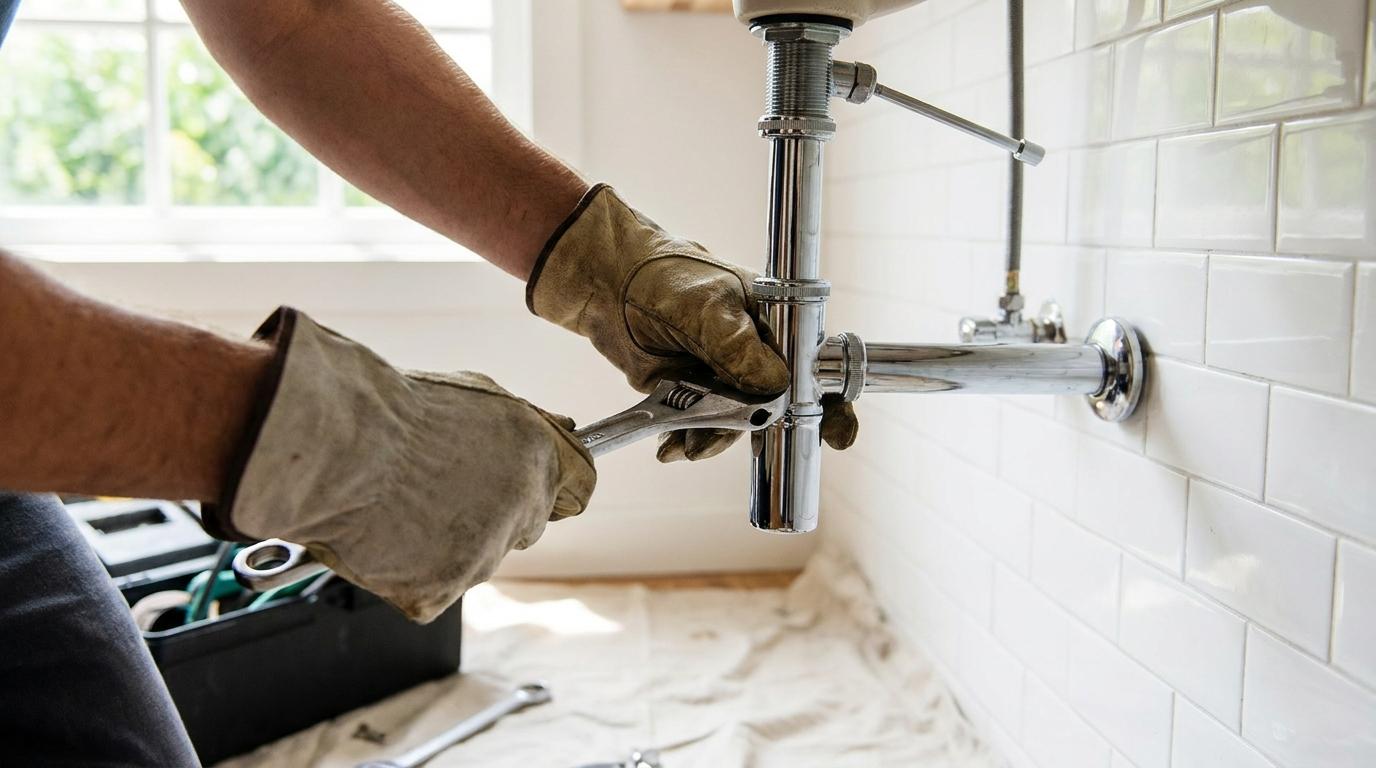
It's 11 p.m. in a Tempe hall. The bathroom floor is wet, your roommate is already asleep, and you're staring at the housing portal wondering whether a ticket will do anything before morning. A maintenance request at ASU only works if you pick the right channel first. The form is for problems that can wait. A phone call is for problems that can't.
Get that choice wrong and you lose the night. Skip the photos at move-in and a stain you never reported is much harder to explain at checkout. Walk through the channel, the filing steps, and the records in that order.
Which Channel and Response Window Your Problem Needs
The mistake that costs time is filing an online ticket for a problem that needs a person on the phone. ASU Housing guidance says residents should submit routine requests through the housing portal, while after-hours facilities emergencies go to residence-hall staff. Separate ASU Facilities guidance sends urgent needs to a 24/7 phone line. Fire, a suspected gas leak, or a downed electrical line means 911 first, before any campus number.
Those pages also set different targets. Emergencies are within 2 hours, critical requests within 24 hours, expedited requests within 5 days, and routine requests within 30 days. A form sitting in a routine queue will not meet a two-hour target.
| Situation | Channel | Target response |
|---|---|---|
| Fire, suspected gas leak or downed power line | 911 | Call immediately |
| Urgent facilities need during the day or night | 24/7 facilities phone line | Emergency: 2 hours |
| After-hours emergency inside a residence hall | Residence-hall staff | Emergency: 2 hours |
| Flooded bathroom | 24/7 facilities phone line | Emergency: 2 hours |
| Loss of air conditioning during extreme heat | 24/7 facilities phone line | Emergency: 2 hours |
| Lockout | Residence-hall staff | Call immediately |
| Mold concern | Housing portal, or the 24/7 line if water is still spreading | Expedited: 5 days, or emergency: 2 hours if water is active |
| Elevator failure | 24/7 facilities phone line | Emergency: 2 hours |
| Critical issue such as major water or heat loss | 24/7 facilities phone line | Critical: 24 hours |
| Expedited non-urgent repair | Housing portal | Expedited: 5 days |
| Routine repair | Housing portal | Routine: 30 days |
ASU doesn't publish a named channel for every row. A flooded bathroom, lost cooling in extreme heat, a lockout, mold, and a stuck elevator are the questions students ask most often, and the public pages don't sort them one by one. Treat spreading water, extreme-heat cooling loss, and a stopped elevator as phone calls. Treat a dry mold stain with no active leak as a portal request, and say how long you've seen it. If you can't tell whether the issue is critical, call and ask which category it belongs in. Don't guess and leave it on a form.
The same split shows up outside campus housing. Handling an emergency maintenance request at 2 a.m. starts with a call, not a queue, because a sleeping inbox can't stop a leak.
Two-question test: Can this injure someone, or keep damaging the unit, right now? If yes, call. If it can wait a week without getting worse, use the housing portal.
Before you dial or open the form, decide three things. Is anyone in danger? Is water, heat, power, or access failing right now? Which target window does that put you in? Write the channel in a note on your phone. You'll need it if the ticket later looks slower than the window you were told.
Document Move-In Damage to Avoid Charges at Checkout
Photograph the room before you file anything about old damage. A repair you never logged is a story with no date, and checkout staff will compare the room to whatever record exists, not to your memory.
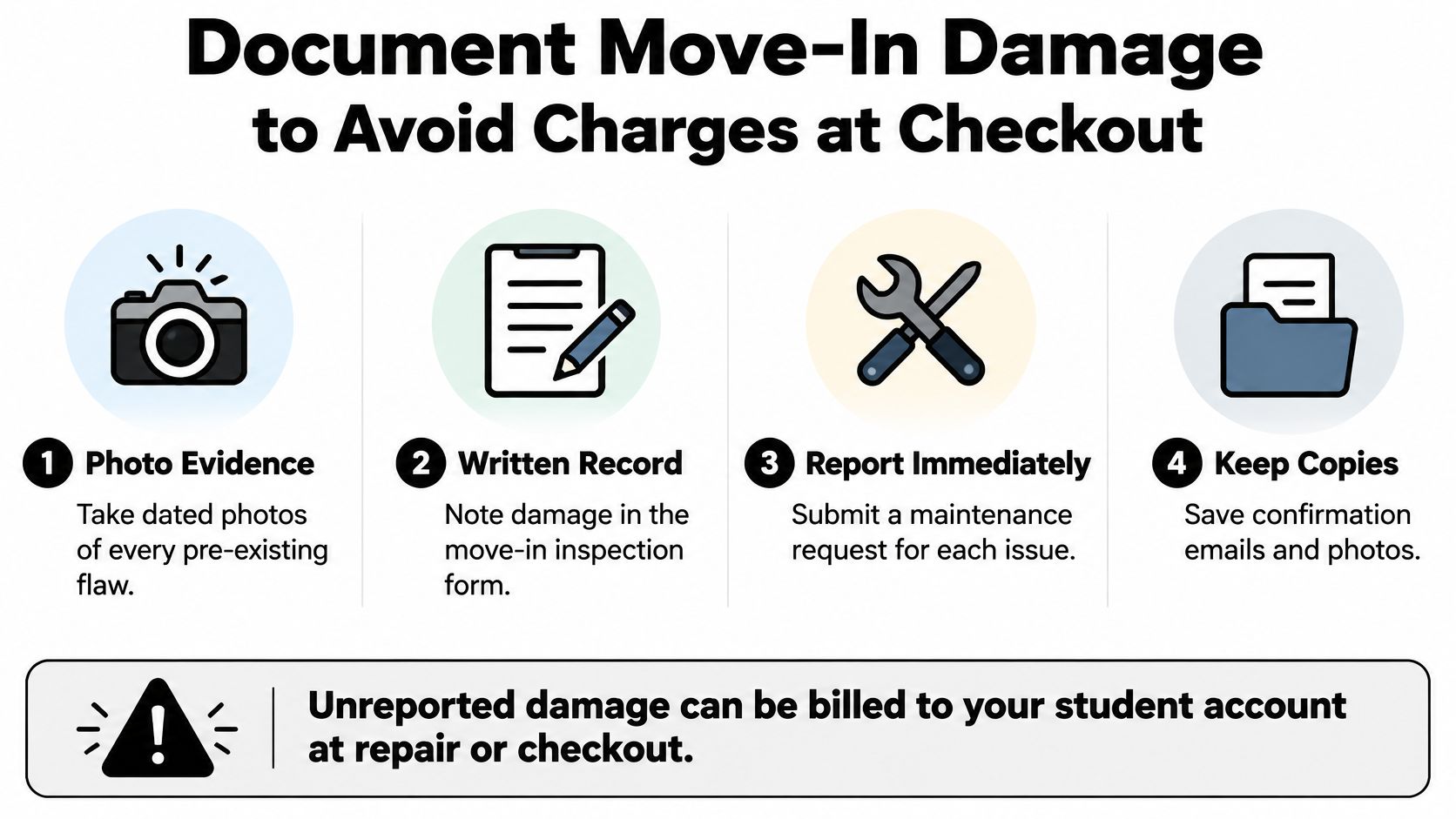
Do this in the first week, before posters go up and before anyone spills anything new.
- Walk every surface. Open closets, look under the bed, and check the bathroom, the fridge, and the window tracks. Turn on every light and every faucet.
- Photograph with the date visible. One wide shot of each wall, then a close shot of each nick, stain, cracked tile, or loose handle. A phone timestamp is enough if the photo isn't edited.
- File a request for each existing flaw. Use the housing portal so the issue gets a number and a time. A note in a group chat doesn't create that record.
- Save the confirmations. Keep the emails and the photos in one folder named with your hall and room. Note the condition of any university furniture or fixture, even if it still works.
Say the carpet by the desk is already stained in week one. You file a request, attach the photo, and keep the number. At checkout, that stain matches a dated ticket. The same stain with no request on file looks like something that happened during your stay, and you'll be arguing from memory.
Before you leave, compare the room with those week-one photos. Re-check every item you reported. If a charge appears, ask for a written note of what was billed and which request, if any, it was tied to. A short guide to documenting property condition before move-in uses the same habit in a regular rental: date, photo, and a written report, stored where you can find them months later.
How to Submit a Maintenance Request Through the Housing Portal
Use the portal only after you've decided the problem can wait. A complete ticket tells staff where to go, what they'll see, and how to get in.
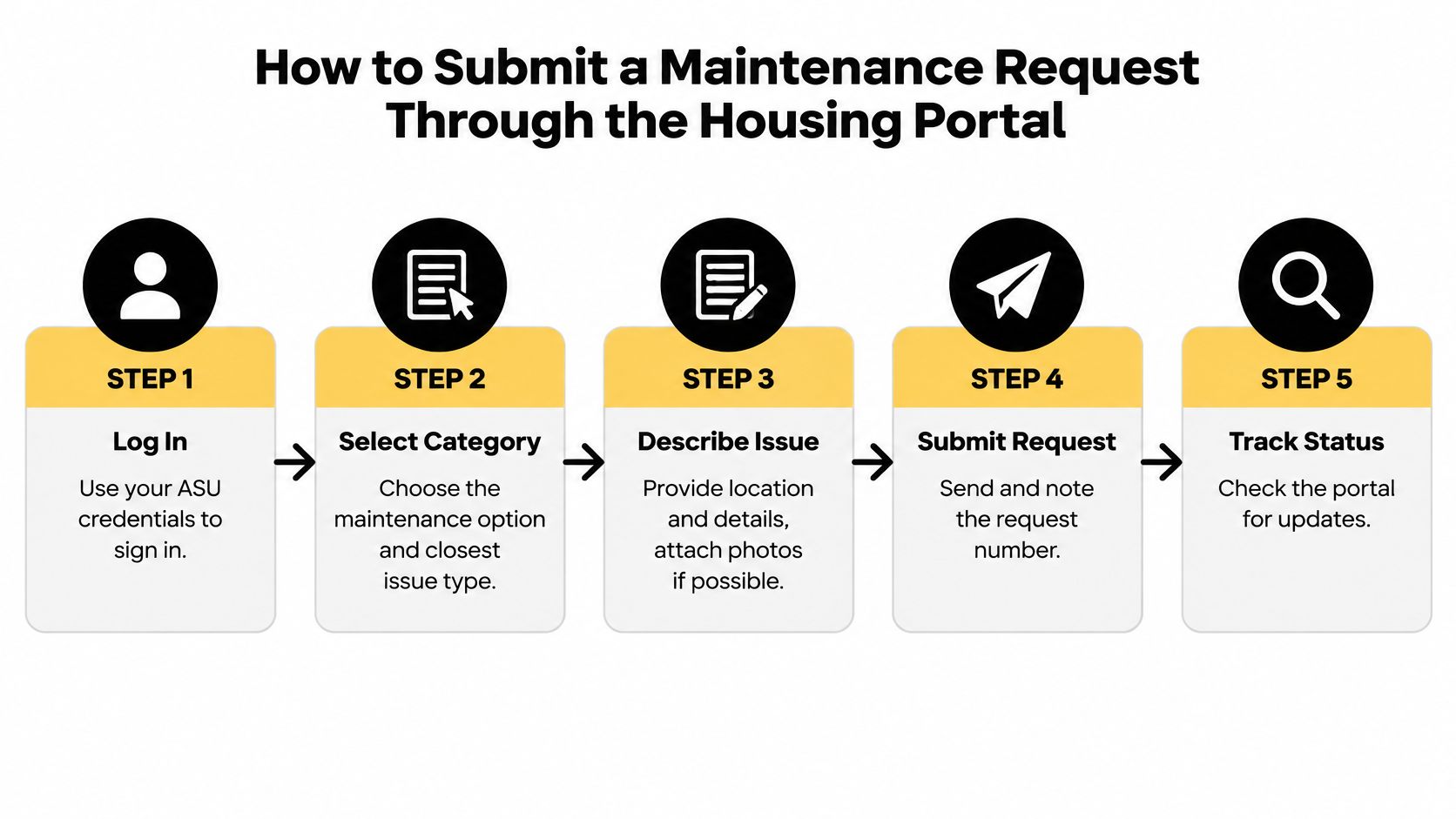
- Sign in with your ASU credentials. An unsigned request, or one sent from the wrong account, can sit without an owner. If the portal won't load, try another browser before you assume the request went through.
- Pick the closest category. The category is what sets the response window. A dripping sink filed as "other" can land in a slower queue than a plumbing category.
- Name the building, the room, and the exact spot. "Bathroom sink" or "window by the bed" is useful. "Somewhere in the room" sends a technician hunting.
- Describe the symptom, when it started, and whether it's getting worse. A leak that spread since yesterday is more urgent than a drip you first noticed last month. Say what you already tried, such as shutting the valve under the sink.
- Attach photos of the problem and the area around it. A close shot shows the damage. A wider shot shows which fixture it is, so staff can judge the scope before they arrive.
- Add access details. Mention pets, roommates, class hours, and whether someone can be home. A locked room with no one available is a missed visit.
- Submit, then save the request number and the confirmation email before you close the page. Screenshot the confirmation if the email is slow.
Wrong-room slip: A ticket filed under your roommate's old assignment, or with a swapped digit, sends the technician to an empty unit. Read the room number out loud before you hit submit.
A complete submission reads like this. "Building X, room 214, bathroom sink. Slow drip from the cold handle since Tuesday, worse this morning. Photo of the handle and the cabinet below. No pets. I'm in class 10 to 2, roommate is usually home after 3." If your draft is missing the spot, the start date, or a photo, fix it before you send.
Track the Request, Enter the Room and Escalate a Stalled Repair
Filing is the easy part. What happens after is where most students lose the thread.
ASU housing resources describe target response windows, not guaranteed finish dates. Scheduled work, or a job that needs more than one trade, may take months. If your request is delayed, you should be told the reason. Ask for that reason, and check status with the request number rather than starting over.
What entry can look like
Staff may enter for maintenance, emergencies, safety, health concerns, or preventive work during breaks. Public guidance doesn't clearly say what notice you'll get, or how to protect your things. Ask about notice when you file.
Before anyone comes:
- Clear a path to the sink, the vent, or the outlet so the visit isn't spent moving boxes.
- Secure valuables and medication, and tell your roommate the window you were given.
- Confine pets if you have them, even if the visit is supposed to be short.
Keep one running log. Dates, names, missed appointments, and what was said on each call. One number from the first visit through the last follow-up is easier to defend than three half-finished tickets.
When the window passes
If a routine ticket passes the window you were given, call the housing office with the request number and the dates in your log. Ask for the delay reason in writing. A portal status that only says "closed" isn't an explanation.
A bathroom leak repaired on Monday that drips again by Friday is a return, not a new story. A closed ticket doesn't mean the problem is fixed. Reference the original number, say what changed, and photograph each return. Recurring HVAC, plumbing, pest, and electrical problems often need a second visit to reach the cause, not another patch on the symptom.
If the symptom turns urgent, call the channel for that category. Don't wait on a portal update while water spreads or the room overheats.
ASU's policies also say unreported move-in damage can be billed to the student account at repair or checkout. That's a separate risk from a slow repair, and it's why the week-one photos matter when a charge shows up beside a ticket you thought was only about a new drip.
Say your request number is 18442. You filed it on a Thursday, saved the email, and noted a missed visit the next Tuesday. On the following Monday the drip is back. You add a photo, call with 18442, and ask whether the ticket is still routine or has moved up. That single thread is what you take to checkout if someone later treats the stain as yours.
Set Your Reminder and Keep Two Records
Once the request is in, set a reminder for the end of the target window. Follow-up works when it happens on time, not after the drip has stained the cabinet.
Keep the two records that settle most disputes.
- The request number and the confirmation email. That's proof you reported it, and when.
- A dated photo of the condition as you reported it. That's proof of what the room looked like on that day.
Store both where you can find them at checkout. A request from week one is the difference between a charge you can question and one you can't. If the window passes with no contact, use the call and the original number. A brand-new ticket splits the history and makes the delay look like it just started.
A simple maintenance request log is enough. One request number, one dated photo, and one reminder for each open repair. That's the habit that protects the rest of the year in the room.
VerticalRent gives landlords a maintenance portal where tenants submit requests with photos, and Platinum AI categorizes and prioritizes each one without dispatching a vendor on its own. You can assign a trusted pro or leave the job open for quotes, and status changes notify you automatically. If you manage a small portfolio and want that same request-and-record habit outside a campus portal, visit VerticalRent.
Put this into practice
VerticalRent tools related to this guide
Legal Disclaimer
VerticalRent and its authors are not attorneys, CPAs, or licensed legal or financial advisors, and nothing on this site constitutes legal, tax, or professional advice. The information in this article is provided for general educational purposes only. Landlord-tenant laws, eviction procedures, security deposit rules, and tax regulations vary significantly by state, county, and municipality — and change frequently. Nothing on this site creates an attorney-client relationship. Always consult a licensed attorney or qualified professional in your jurisdiction before taking any action based on information you read here.
Co-founded VerticalRent in 2011, growing it from nothing to 100k landlords and renters. Sold it in 2019, then re-acquired it in 2026 to make it better than ever.


