Virtual Property Tours: How to Show Rentals Remotely and Fill Vacancies Faster
Virtual tours filter out unserious applicants and fill units faster by letting qualified renters self-tour on their schedule. This guide covers the tools, techniques, and best practices for creating compelling virtual property tours that convert browsers into applicants.

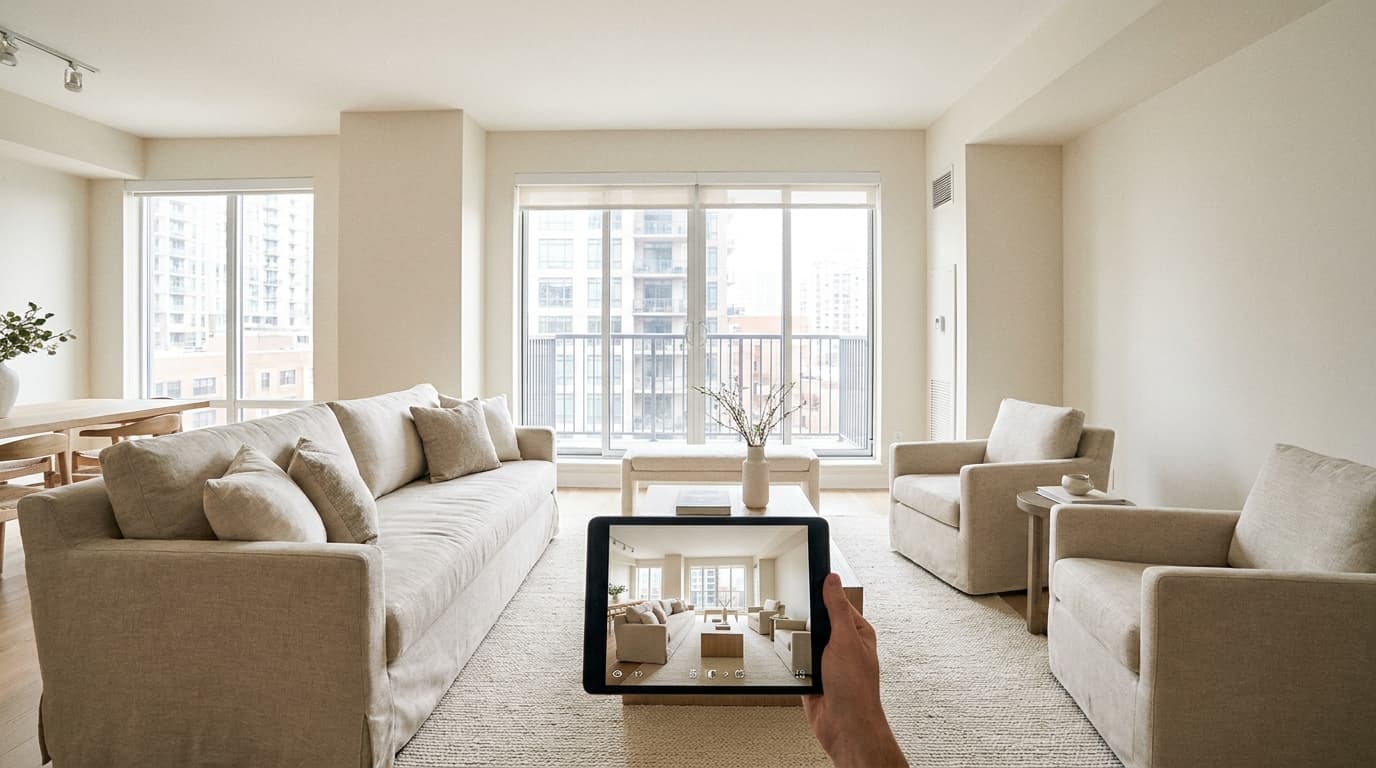
Last month, I received a panicked call from a landlord named Sarah who owns four rental properties in different cities across Texas. Her best unit—a renovated two-bedroom in Austin—had been sitting vacant for six weeks. She'd scheduled twelve in-person showings, but only four people actually showed up. Of those four, two were clearly not qualified, one ghosted her after the tour, and the fourth decided the commute was too long. Meanwhile, she was hemorrhaging $2,100 every month in lost rent, plus utilities, lawn care, and the constant worry that comes with an empty property. "I don't understand," she told me. "The listing looks great. The photos are professional. What am I doing wrong?" The answer was simple: Sarah was still showing properties like it was 2019. In today's rental market, prospective tenants expect to tour properties on their own schedule, from their couch, often before they ever commit to an in-person visit. Virtual property tours for landlords have transformed from a pandemic necessity into a competitive advantage that separates successful independent landlords from those watching vacancy days pile up. After fifteen years in property management and helping thousands of landlords through VerticalRent, I've watched this shift accelerate dramatically. The landlords who adapted early are filling vacancies 40% faster than those still relying exclusively on traditional showings. This comprehensive guide will show you exactly how to create professional virtual tours, which tools deliver the best results for independent landlords, how to integrate virtual showings into your leasing workflow, and the specific strategies that turn remote viewers into signed leases. Whether you manage one property or fifteen, you'll walk away with a complete system for showing rentals remotely.

What You'll Learn in This Guide
- The different types of virtual tours available and which format works best for independent landlords with limited budgets and time
- Step-by-step instructions for creating professional-quality virtual tours using equipment you likely already own
- How to conduct live virtual showings that build rapport with prospective tenants and answer questions in real-time
- Strategies for qualifying tenants remotely to avoid wasting time on prospects who aren't serious or qualified
- Integration techniques that combine virtual tours with your existing listing and screening workflow
- Real cost comparisons and ROI calculations to justify your investment in virtual tour technology
Why Virtual Property Tours Have Become Essential for Independent Landlords
The rental market has fundamentally changed, and independent landlords who ignore this shift do so at their financial peril. According to recent industry data, 63% of renters in 2026 expect virtual tour options before committing to an in-person showing. Among millennial and Gen Z renters—who now represent the majority of the rental market—that number jumps to 78%. These aren't just preferences; they're requirements that directly impact your ability to attract qualified applicants.
The math behind virtual tours is compelling. Consider the traditional showing model: you post a listing, receive inquiries, schedule showings, drive to the property (often multiple times per day), wait for no-shows, repeat the process, and eventually find a qualified tenant. For a landlord with properties spread across different neighborhoods or cities, this process devours time and fuel costs while the vacancy meter keeps running. A single vacant unit costing $1,500 per month means you're losing $50 per day. If virtual tours help you fill that vacancy even one week faster, you've saved $350—likely more than the cost of any virtual tour solution.
But the benefits extend beyond simple time savings. Virtual tours attract a higher quality of applicant because serious renters self-select based on the detailed view of the property. They've already seen the kitchen layout, the closet space, the natural lighting, and the neighborhood views before they ever contact you. This means fewer tire-kickers and more applicants who are genuinely interested and ready to move forward. I've seen landlords using VerticalRent's integrated virtual tour features reduce their average showing-to-application ratio from 8:1 to 3:1—a dramatic improvement in efficiency.
Virtual tours also expand your potential tenant pool geographically. Relocating professionals, military families, traveling nurses, and remote workers often need to secure housing before they arrive in a new city. Without virtual tour options, you're invisible to these highly qualified prospects. With them, you're suddenly competing for tenants who might have excellent credit, stable income, and strong rental histories—the exact tenants every landlord wants.
Pro Tip: Track your "virtual tour to application" conversion rate separately from your "in-person showing to application" rate. Many landlords discover that virtual tour viewers actually convert at higher rates because they've already pre-qualified themselves based on the detailed property view.
Understanding the Different Types of Virtual Tours
Not all virtual tours are created equal, and choosing the right format depends on your budget, technical comfort level, and the types of properties you manage. Let me break down the four main categories so you can make an informed decision about which approach fits your situation.
Pre-Recorded Video Walkthroughs
The simplest and most accessible option is a pre-recorded video walkthrough using your smartphone. You literally walk through the property, narrating as you go, then upload the video to YouTube or embed it directly in your listing. The advantages are obvious: zero additional cost if you already have a decent smartphone, no learning curve, and the ability to re-record until you get it right. The disadvantages include limited interactivity and the challenge of maintaining steady footage without specialized equipment.
360-Degree Photo Tours
These tours use specialized cameras or smartphone apps to capture panoramic images of each room, which viewers can then explore by clicking and dragging. Platforms like Matterport, Zillow 3D Home, and others have made this technology accessible to individual landlords. The immersive experience is significantly better than standard video, and viewers can explore at their own pace, focusing on details that matter to them. However, there's a steeper learning curve and potential equipment costs.
Live Virtual Showings
Using video conferencing tools like Zoom, FaceTime, or Google Meet, you conduct real-time tours while the prospective tenant watches and asks questions. This approach combines the convenience of remote viewing with the personal interaction of traditional showings. You can respond to specific requests ("Can you open that closet?" or "What's the view from the bedroom window?") and build rapport that helps close deals. The downside is that live showings still require your time and scheduling coordination.
Interactive 3D Tours
At the premium end, platforms like Matterport create fully interactive 3D models that viewers can navigate like a video game. These "digital twins" of your property offer measurements, floor plans, and the ability to view the space from any angle. While impressive, they typically require professional photography services or expensive equipment, making them less practical for independent landlords managing a small portfolio.
| Tour Type | Cost Range | Time to Create | Viewer Experience | Best For |
|---|---|---|---|---|
| Pre-Recorded Video | $0 (smartphone) | 30-60 minutes | Good | Budget-conscious landlords, quick turnaround |
| 360-Degree Photos | $0-$400 (camera) | 1-2 hours | Very Good | Landlords wanting immersive experience without ongoing costs |
| Live Virtual Showings | $0 (free video apps) | 15-30 min per showing | Excellent (interactive) | Building rapport, answering specific questions |
| Interactive 3D Tours | $100-$300 per property | 2-3 hours (or hire pro) | Premium | Luxury rentals, high-competition markets |
For most independent landlords, I recommend a hybrid approach: create a solid pre-recorded video or 360-degree tour for your listing, then offer live virtual showings to serious prospects who want more detail. This combination maximizes efficiency while maintaining the personal touch that helps you evaluate potential tenants.
Equipment and Software You Actually Need
One of the biggest misconceptions about virtual property tours is that they require expensive professional equipment. In reality, the smartphone in your pocket is likely more than capable of producing compelling virtual tour content. Let me walk you through the essential equipment and some optional upgrades that can elevate your production quality.
The Essential Toolkit
Your smartphone is the foundation. Any iPhone from the last four years or flagship Android device has sufficient camera quality for excellent video. The key is knowing how to use it properly. Always shoot in landscape orientation (horizontal), clean your camera lens before recording, and use the highest video quality setting available (typically 1080p or 4K). For stabilization, even a basic smartphone gimbal ($50-$100) dramatically improves the viewing experience, eliminating the shaky footage that makes viewers feel nauseous.
Lighting often matters more than camera quality. Natural light is your best friend—schedule your recordings for midday when sunlight fills the rooms. For darker spaces or evening shoots, consider a portable LED panel ($30-$60) that provides consistent, flattering illumination. Turn on all lights in the property, including lamps, to create a warm and inviting atmosphere. If you want your rental property photography tips to translate into video, the principles are identical: maximize light, minimize shadows, and showcase each room's best features.
Audio quality is frequently overlooked but critically important. If you're narrating your video walkthrough, viewers need to hear you clearly. The built-in microphone on your phone picks up echo, wind noise, and background sounds that distract from your presentation. A simple lavalier microphone ($20-$40) that clips to your shirt and plugs into your phone solves this problem instantly. For live virtual showings, consider a Bluetooth earpiece that keeps your hands free while ensuring clear audio.
Software Solutions for Independent Landlords
For pre-recorded video, you can edit directly on your phone using free apps like iMovie (iOS) or CapCut (both platforms). Add title cards with the property address, text overlays highlighting key features, and background music (royalty-free) to create a polished final product. Upload to YouTube as an unlisted video, then embed the link in your rental listings across the Best Rental Listing Sites in 2026.
For 360-degree tours, the Ricoh Theta SC2 (around $300) offers the best balance of quality and price for independent landlords. It captures spherical images with a single click, and the companion app stitches them into navigable tours. If you're not ready to invest in a dedicated camera, apps like Zillow 3D Home use your smartphone to create 360-degree tours through a series of captures—not quite as seamless, but free and functional. VerticalRent integrates with most major virtual tour platforms, allowing you to embed tours directly in your listings and track viewer engagement.
Budget Reality Check: You can create effective virtual tours with zero additional investment using just your smartphone and free apps. Before spending money on equipment, try the free approach for your next vacancy. Many landlords discover that basic videos perform nearly as well as premium 3D tours for their property type and market.

Creating a Professional Pre-Recorded Video Tour: Step-by-Step
A well-executed video tour can be watched by hundreds of prospective tenants while you sleep, answering questions and showcasing your property around the clock. Here's my exact process for creating video tours that convert viewers into applicants.
Pre-Production Preparation
Before you press record, the property must be showing-ready. This means thorough cleaning, decluttering (if occupied), and staging key areas to look their best. Open all blinds and curtains to maximize natural light. Turn on every light fixture and lamp. Remove personal items like family photos if the property is tenant-occupied during filming—you want viewers to imagine themselves living there, not the current residents. Check that all bulbs are working and consistent in color temperature (mixing warm and cool bulbs looks unprofessional).
Create a shot list and narrative plan before recording. Walk through the property and decide the exact path you'll take, what you'll highlight in each room, and what you'll say. This preparation prevents the awkward "um, let's see, what's next" moments that plague amateur videos. Plan to spend roughly 30-45 seconds in each major room, with quick passes through hallways and transitional spaces.
Recording Best Practices
Start outside the property with an exterior shot, showing the building, parking, and neighborhood context. Walk up to the front door as if you're a prospective tenant arriving for a showing. Enter and pause in the entryway to capture the viewer's first impression. Move through the main living spaces first (living room, kitchen, dining area), then show bedrooms and bathrooms, and finish with any additional features like laundry, storage, balcony, or garage.
Keep the camera at chest height and move slowly—much slower than feels natural. Quick movements cause motion blur and disorientation. When entering a room, pause at the doorway for 3-4 seconds to establish the space before walking in. Pan slowly from left to right to show the full room, then highlight specific features. Always move forward, never backward, as walking backward almost guarantees shaky footage.
Your narration should be conversational and informative. Don't just describe what viewers can see ("This is the kitchen"). Instead, add value by highlighting features they might miss: "The kitchen features granite countertops, stainless steel appliances that were installed last year, and a deep pantry behind this door." Mention practical details like room dimensions, storage capacity, and recent updates. If the property has a unique selling point—mountain views, original hardwood floors, a massive yard—emphasize it with enthusiasm.
Post-Production Polish
Edit your raw footage to remove mistakes, dead time, and any segments where you stumbled over words. Add a title card at the beginning with the property address, number of bedrooms/bathrooms, and monthly rent. Include text overlays to highlight key features (e.g., "New HVAC System 2025" or "Walk-in Closet"). End with a clear call-to-action: how to schedule an in-person showing or submit an application, including your contact information or a link to your VerticalRent listing page.
The ideal video length is 3-5 minutes for a typical 2-3 bedroom rental. Shorter videos leave viewers with unanswered questions; longer videos lose attention. Upload to YouTube with a descriptive title, thorough description including keywords and property details, and relevant tags. Mark the video as "unlisted" if you only want viewers with the direct link to access it, preventing random YouTube browsers from finding your rental.
Mastering Live Virtual Showings That Close Deals
While pre-recorded tours work around the clock, live virtual showings offer something video cannot: real-time interaction that builds trust and allows you to evaluate potential tenants. Here's how to conduct live showings that convert prospects into qualified applicants.
Choose your platform based on accessibility, not features. Zoom, Google Meet, and FaceTime are the most universally accessible options. Avoid platforms that require app downloads or account creation—every barrier reduces participation. I recommend asking prospects which platform they prefer, defaulting to FaceTime for iPhone users (it's already installed and requires nothing but their phone number) and Google Meet for others (works in any browser with no login required).
Scheduling matters more than you might think. Offer specific time slots rather than open-ended availability. "I can show the property virtually at 10 AM, 2 PM, or 6 PM tomorrow—which works best?" This approach respects your time and creates urgency. Send calendar invitations with the video call link, property address, and brief instructions. Follow up with a reminder text or email one hour before the scheduled showing.
During the Live Showing
Arrive at the property 15 minutes early to turn on lights, check your phone's battery and signal strength, and do a quick final walkthrough. When the call begins, start with a brief personal introduction and ask about the prospect's timeline and needs: "Thanks for joining. Before we tour, what's most important to you in your next rental?" This information helps you customize the showing and identify deal-breakers early.
Use a phone mount or tripod rather than handheld filming—stability is crucial for viewer comfort during longer sessions. Move even more slowly than you would for a recorded video because real-time streaming can stutter with quick movements. Pause frequently to ask if the viewer has questions or wants to see anything in more detail. This interactivity is your competitive advantage; lean into it.
Watch for buying signals during the tour. Questions like "When is the move-in date?" or "What's the application process?" indicate genuine interest. Take mental notes of any concerns the prospect raises so you can address them. If they mention loving the large windows but worrying about heating costs, you can mention the new energy-efficient HVAC system. This responsiveness builds trust and demonstrates your attentiveness as a landlord.
End every live showing with a clear next step. "Based on what you've seen, would you like to schedule an in-person visit, or are you ready to submit an application?" If they're interested, explain your screening process and provide the application link immediately—strike while enthusiasm is high. VerticalRent's mobile-friendly application system makes this seamless, allowing prospects to begin their application within minutes of ending the call.
Video Resource
Watch a related guide on YouTube
Search YouTube: virtual property tours landlord rental marketing remote →Qualifying Tenants Remotely: Screening Before the Showing
Virtual tours attract more inquiries, which sounds great until you realize that more inquiries can also mean more time wasted on unqualified prospects. Implementing pre-qualification steps before virtual showings protects your time while ensuring you focus energy on applicants likely to pass your screening criteria.
The Pre-Showing Questionnaire
Before scheduling any virtual showing—live or providing access to your detailed tour—require prospective tenants to complete a brief questionnaire. This can be as simple as a Google Form or built into your VerticalRent listing setup. Key questions should include desired move-in date, number of occupants, pets (if applicable), employment status, approximate monthly income, reason for moving, and whether they've been evicted or had lease violations in the past five years.
Set clear income requirements (typically 3x monthly rent in gross income) and include this in your listing so prospects self-select. When a questionnaire response shows income below your threshold or red flags like multiple recent moves or eviction history, you can politely decline to schedule a showing: "Thank you for your interest, but based on your responses, this property may not be the best fit. Best of luck in your search." This saves hours of showing time and awkward conversations.
Pre-Qualification Communication
Your listing should clearly communicate qualification requirements before prospects ever reach out. This is where knowing how to write rental listing copy becomes crucial. Include specific language: "Requirements: 3x monthly rent in verifiable income, credit score 620+, positive rental history, no evictions in past 5 years." Prospects who don't meet these criteria are less likely to waste your time when requirements are stated upfront.
During initial contact, ask targeted questions through text, email, or messaging platforms. A simple exchange like "Just confirming before we schedule—you mentioned you're looking to move October 1st. Can you confirm your household income is at least $4,500/month for this $1,500 rental?" weeds out unqualified prospects before you invest time in a showing. This isn't interrogation; it's efficient mutual respect.
| Pre-Qualification Method | Effectiveness | Time Investment | Prospect Experience |
|---|---|---|---|
| Online questionnaire before showing | High - filters 40-50% of unqualified prospects | Low - automated | Neutral - standard process |
| Phone call screening | Very High - personal assessment possible | High - 5-10 min per prospect | Positive - builds rapport |
| Listing with clear requirements | Medium - honest prospects self-select | None - set and forget | Positive - transparency |
| Small pre-application fee | Very High - eliminates casual browsers | Low - automated collection | Mixed - some resistance |
| VerticalRent AI pre-screening | Very High - automated risk assessment | None - AI-powered | Positive - quick process |
VerticalRent's AI risk scoring can automatically flag applications that may require additional verification, saving you from diving deep into applications that won't ultimately qualify. This feature analyzes application data patterns that correlate with successful tenancies versus problematic ones, giving you an early indicator of applicant quality before you spend time on detailed screening.
Fair Housing Reminder: Pre-qualification criteria must be applied consistently to all applicants and cannot include protected characteristics under federal, state, or local fair housing laws. Base your screening solely on legitimate business criteria like income, credit, rental history, and criminal background where legally permitted.
Integrating Virtual Tours Into Your Marketing Strategy
Creating a great virtual tour is only half the battle—you need to put it in front of prospective tenants effectively. Here's how to integrate virtual tours into your overall marketing strategy to maximize visibility and generate qualified leads.
Listing Site Optimization
Every major rental listing site now supports virtual tour content, but implementation varies. Zillow, Apartments.com, Realtor.com, and most other platforms allow you to embed YouTube videos or Matterport tours directly in your listing. When you upload your listing through VerticalRent's syndication feature, your virtual tour link distributes automatically to partner sites, ensuring consistent presentation across platforms.
Position your virtual tour prominently in your listing. The written description should reference it early: "Take a full virtual tour of this spacious 3BR home—video link included in photos." Many prospective tenants scroll directly to photos; if your video thumbnail is the first or second image, it catches attention immediately. Write compelling text that prompts viewers to watch: "See why this is the most popular rental in the neighborhood" or "Watch the 4-minute tour to view all recent renovations."
Social Media and Direct Outreach
Beyond listing sites, share your virtual tour across social media platforms where local renters congregate. Facebook Marketplace, local neighborhood groups, and even Instagram or TikTok can drive significant traffic for rentals in certain demographics. Create platform-appropriate versions: a 60-second highlight reel for Instagram, a full tour for Facebook and YouTube, and vertical format clips for TikTok or Instagram Reels.
Don't overlook direct outreach to local relocation services, corporate HR departments, military base housing offices, and hospital staffing coordinators. These organizations frequently assist relocating employees in finding housing. A professional email introducing yourself as a local landlord with virtual tour capabilities positions you as a modern, convenient option for incoming workers. Offer to schedule live virtual showings around their clients' schedules, accommodating different time zones when necessary.
Email and Text Engagement
When prospects inquire about your property, your first response should include a virtual tour link. A text message like "Thanks for your interest in 123 Main Street! Here's a quick video tour: [link]. Let me know if you'd like to schedule a live virtual showing or in-person visit" immediately provides value while positioning you as a tech-savvy, professional landlord. Follow up 24-48 hours later if they haven't responded: "Did you have a chance to watch the virtual tour? Happy to answer any questions."
Track engagement whenever possible. YouTube provides analytics on video views, watch duration, and audience retention. If you notice viewers consistently dropping off at a certain point (perhaps a dated bathroom), that's valuable feedback about what might be discouraging applicants. Some virtual tour platforms provide heat maps showing where viewers spend the most time, helping you understand what features attract the most attention.
Overcoming Common Virtual Tour Challenges
Virtual tours aren't without obstacles. From technical difficulties to prospect skepticism, independent landlords face predictable challenges when implementing remote showings. Here's how to handle the most common issues.
Technical Difficulties During Live Showings
Poor internet connectivity at the property is the most frequent technical problem. Before relying on live virtual showings, test your cellular signal strength or Wi-Fi availability in the property. If connectivity is weak, consider a mobile hotspot device or identify the room with the strongest signal and begin your tour there. Keep the showing moving even if video quality degrades: "The signal is weak in this room, but let me describe the closet space while we walk through."
Audio issues frustrate viewers more than video problems. If your voice is cutting out or echoing, pivot to text chat within the video platform to answer questions while you continue the visual tour. Alternatively, offer to record a high-quality video tour on-site and send it within an hour, then schedule a phone call to discuss questions. Flexibility and professionalism in handling technical hiccups actually builds trust—prospects see how you handle problems.
Prospect Skepticism About Remote Viewing
Some renters, particularly older demographics, resist virtual tours because they don't trust that video accurately represents the property. Address this directly: "My virtual tour shows the property exactly as it is today, including areas that aren't perfect. I'm not hiding anything—in fact, here's the worn carpet in the bedroom that we'll be replacing before move-in." Transparency disarms skepticism.
Offer an in-person showing as a follow-up, positioning virtual as a time-saving first step rather than a replacement. "Most of our tenants do a virtual tour first to make sure it's worth their time, then schedule a quick in-person visit to confirm. Would that work for you?" This respects their preference while introducing them to the efficiency of virtual viewing.
Properties That Don't Show Well Virtually
Some properties—those with awkward layouts, small rooms, or features that must be experienced in person—are harder to showcase virtually. For these situations, emphasize live virtual showings over pre-recorded tours so you can provide context: "I know the kitchen looks small on camera, but let me show you how the cabinet organization maximizes every inch of space." Use wide-angle shots strategically but honestly—grossly distorted dimensions will backfire when prospects see the property in person.
Consider augmenting your virtual tour with supplementary materials. A floor plan with dimensions helps prospects understand layouts that don't film well. Neighborhood video showing nearby amenities, parks, and commute routes adds value that interior tours can't capture. VerticalRent's listing templates include space for floor plans and neighborhood information, helping you present a complete picture even when the property itself doesn't photograph ideally.
Measuring Success: Virtual Tour Analytics and Optimization
What gets measured gets improved. Tracking the performance of your virtual tours helps you identify what's working, what needs refinement, and where your marketing dollars deliver the best return.
Key Metrics to Track
At minimum, track these metrics for each vacancy: total virtual tour views, average watch duration, virtual tour to inquiry conversion rate, inquiry to application conversion rate, total days to lease signing, and cost per lead. Your goal is to reduce vacancy time and increase qualified applicant flow, so any metric that illuminates those outcomes is valuable.
YouTube provides robust analytics for hosted videos. Pay attention to audience retention graphs—the visual representation of where viewers drop off. If 80% of viewers leave within the first 30 seconds, your introduction is too long or unengaging. If they drop off consistently when you show a specific room, that room may be working against you and needs staging improvement or renovation consideration.
For live virtual showings, track outcomes manually. After each showing, note the prospect's initial interest level (high/medium/low), whether they submitted an application, whether they were approved, and whether they signed a lease. Over time, patterns emerge. Perhaps live showings convert better for certain property types or prospect demographics, informing how you allocate your time.
A/B Testing Your Approach
Don't assume your first virtual tour is optimal. When you have multiple vacancies or your current property re-lists, test different approaches. Create a shorter version of your tour (2 minutes vs. 5 minutes) and track which generates more applications. Test different thumbnail images to see which attracts more clicks. Experiment with music versus narration-only videos. These small optimizations compound into significant performance differences over time.
Compare performance across listing platforms to understand where your virtual tour content resonates most. If your YouTube-hosted tour generates strong engagement when linked from Zillow but poor results from Craigslist, that's useful information about platform fit and audience expectations. VerticalRent's analytics dashboard consolidates inquiry sources, helping you understand which marketing channels deliver the best results for properties featuring virtual tours.
Legal Considerations and Fair Housing Compliance
Virtual tours introduce some unique legal considerations that responsible landlords must understand. While the technology is new, fair housing laws and disclosure requirements still apply—and in some ways become more complicated with remote interactions.
Fair Housing in Virtual Settings
Fair housing laws prohibit discrimination based on race, color, national origin, religion, sex, familial status, and disability at the federal level, with many states adding additional protected classes. These protections apply equally to virtual showings. Your virtual tour content must not include any language or visual cues that suggest preference for or against protected classes. Remove personal items that might indicate religious affiliation, family composition, or other protected characteristics before filming.
During live virtual showings, maintain the same professionalism and neutrality you would in person. Don't ask questions about family status, national origin, or disability. If a prospect volunteers information about protected characteristics, don't let it influence your decisions. Document your interactions consistently—this protects you if questions arise later about your selection process.
Be mindful of how pre-qualification questionnaires are designed. Questions about number of occupants are permissible (for building capacity and safety reasons), but questions about marital status or whether children will live there are not. Stick to objective, business-related criteria: income, credit, rental history, and employment verification.
Property Condition Disclosure
Virtual tours create a recorded representation of your property's condition at a specific point in time. This can work for or against you. On the positive side, it documents the condition at listing, potentially useful if disputes arise about whether damage existed before a tenancy. However, if your tour shows conditions that deteriorate before move-in (tree removal, construction next door, carpet stain not yet cleaned), you may face claims of misrepresentation.
Update your virtual tour whenever significant changes occur to the property or its surroundings. Add disclaimers where appropriate: "Tour recorded October 2026; in-person visit recommended to confirm current condition." During live virtual showings, verbally disclose known material defects just as you would during an in-person showing. Most states require disclosure of conditions that materially affect habitability or value—check your local requirements.
Legal Protection Tip: Save copies of all virtual tour content with timestamps, and maintain records of live showing dates and attendees. If a tenant later claims they weren't shown a particular feature or condition, your documentation provides evidence of what was actually presented.
Your Virtual Tour Implementation Checklist
Ready to implement virtual property tours for your rentals? Follow this step-by-step checklist to ensure you launch effectively and avoid common pitfalls.
- Assess your current equipment: Evaluate your smartphone camera quality, available lighting equipment, and any stabilization tools you own. Determine whether you can create acceptable tours with existing equipment or need modest investments in a gimbal, microphone, or LED panel.
- Choose your tour format: Based on your budget, technical comfort level, and property type, decide whether to focus on pre-recorded video, 360-degree tours, live virtual showings
Put this into practice
VerticalRent tools related to this guide
Legal Disclaimer
VerticalRent and its authors are not attorneys, CPAs, or licensed legal or financial advisors, and nothing on this site constitutes legal, tax, or professional advice. The information in this article is provided for general educational purposes only. Landlord-tenant laws, eviction procedures, security deposit rules, and tax regulations vary significantly by state, county, and municipality — and change frequently. Nothing on this site creates an attorney-client relationship. Always consult a licensed attorney or qualified professional in your jurisdiction before taking any action based on information you read here.
Co-founded VerticalRent in 2011, growing it from nothing to 100k landlords and renters. Sold it in 2019, then re-acquired it in 2026 to make it better than ever.


