Digital Lease Signing: How E-Signatures Work and Why Every Landlord Needs Them
Paper lease signing is slow, error-prone, and leaves you with missing signatures and lost documents. E-signatures are legally binding, faster, and create a perfect audit trail. This guide explains how digital lease signing works, which platforms to use, and how to transition your operation.

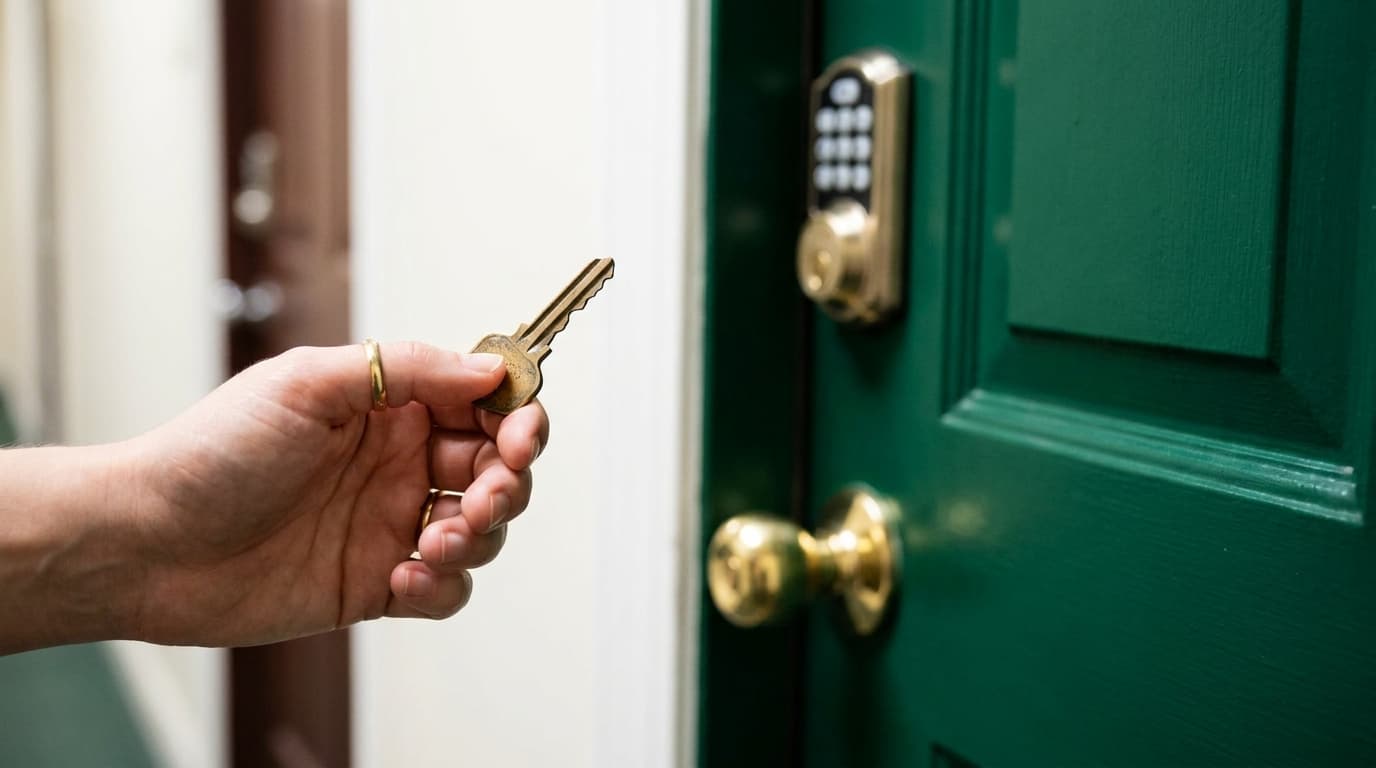
It's 9:47 PM on a Tuesday, and you've finally found the perfect tenant for your vacant duplex unit. After weeks of showings, background checks, and reference calls, you're ready to seal the deal. There's just one problem: your prospective tenant works the night shift at the local hospital, you have an early meeting tomorrow morning, and the nearest FedEx office closes in thirteen minutes. The old you would have spent the next three days playing phone tag, coordinating schedules, and hoping nobody changes their mind before pen meets paper. But landlords who've embraced digital lease signing know there's a better way. Within the hour, your new tenant could review, sign, and return a legally binding lease agreement—all from their smartphone during a break at work. Digital lease signing for landlords isn't just a convenience anymore; it's rapidly becoming the standard operating procedure for independent property owners who want to compete with professional management companies while maintaining the personal touch that makes small landlords irreplaceable.
I'm Matthew Luke, co-founder of VerticalRent, and I've spent the last fifteen years watching the property management industry transform from paper-laden filing cabinets to streamlined digital workflows. When we rebuilt VerticalRent from the ground up in 2026, we made digital signatures a cornerstone of our platform because we'd seen too many landlords lose good tenants to slow, outdated processes. In this comprehensive guide, I'll walk you through everything you need to know about electronic signatures for rental agreements—from understanding the legal framework that makes them enforceable to implementing a system that will save you hours every month and help you fill vacancies faster than ever before.

What You'll Learn in This Guide
- The legal foundation behind electronic signatures and why they're just as binding as traditional ink signatures in all 50 states
- How e-signature technology actually works, including authentication methods and audit trails that protect both landlords and tenants
- The measurable benefits of digital lease signing, from faster turnaround times to reduced errors and improved tenant experience
- A detailed comparison of popular e-signature platforms and what features matter most for landlords
- Step-by-step implementation strategies to transition your rental business to digital signatures seamlessly
- Common pitfalls and mistakes landlords make when adopting e-signatures—and how to avoid them
The Legal Foundation: Why Electronic Signatures Are Legally Binding
Before you stake thousands of dollars in rent payments on a digital signature, you need to understand why these electronic marks carry the same legal weight as your grandfather's fountain pen flourish. The good news is that electronic signatures have been legally recognized in the United States for over two decades, backed by robust federal and state legislation that landlords can rely on with confidence.
The cornerstone of e-signature legality is the Electronic Signatures in Global and National Commerce Act, commonly known as the E-SIGN Act, passed by Congress in 2000. This federal law establishes that electronic signatures and records cannot be denied legal effect solely because they're in electronic form. In practical terms, this means a tenant who clicks "I Agree" on your digital lease is just as bound to those terms as if they'd signed in person at your kitchen table. The E-SIGN Act applies to interstate and foreign commerce, covering virtually all rental transactions in our increasingly mobile society.
Complementing federal law, the Uniform Electronic Transactions Act (UETA) has been adopted by 47 states, the District of Columbia, Puerto Rico, and the U.S. Virgin Islands. UETA provides a consistent framework for electronic transactions, establishing that electronic records and signatures satisfy legal requirements for written documents and signatures. The three states that haven't adopted UETA—Illinois, New York, and Washington—have their own electronic signature laws that provide similar protections. When you're creating digital leases, understanding how to write a lease agreement that complies with both traditional requirements and electronic signature standards ensures your documents will hold up in any legal proceeding.
Key Legal Insight: For an electronic signature to be legally valid, you must demonstrate: (1) intent to sign, (2) consent to do business electronically, and (3) association of the signature with the document. Quality e-signature platforms automatically capture evidence of all three elements.
The legal validity of electronic signatures has been tested and affirmed in countless court cases. Judges routinely accept digitally signed lease agreements in eviction proceedings, security deposit disputes, and breach of contract claims. In fact, many courts prefer electronic documents because they come with detailed audit trails showing exactly when and how each party signed, eliminating the "that's not my signature" defense that sometimes arises with paper documents. The comprehensive logging capabilities of modern e-signature platforms often provide stronger evidence of agreement than traditional paper contracts.
How E-Signature Technology Actually Works
Understanding the mechanics behind digital signatures helps you appreciate their security and explain the process to skeptical tenants. Modern e-signature platforms employ sophisticated technology that goes far beyond simply pasting an image of a signature onto a PDF. Let's pull back the curtain on what happens when your tenant signs a lease digitally.
When you upload a lease document and send it for signature, the platform creates a unique hash—essentially a digital fingerprint—of the document. This hash is generated using cryptographic algorithms that produce a fixed-length string of characters representing the document's contents. If even a single comma in the document changes after signing, the hash would be completely different, making any tampering immediately detectable. This is the foundation of document integrity in electronic signatures.
Authentication Methods That Verify Signer Identity
E-signature platforms employ multiple layers of authentication to verify that the person signing is actually who they claim to be. Email verification is the most basic level—the signer must have access to the email address where the signing request was sent. Many platforms layer additional authentication on top of this, including knowledge-based authentication (KBA) that asks security questions based on public records, SMS verification codes sent to the signer's phone, or even government ID verification that compares a selfie to a driver's license photo. For standard residential leases, email verification combined with captured metadata typically provides sufficient authentication, though you can enable stronger verification for high-stakes situations.
The audit trail generated during the signing process is perhaps the most valuable feature for landlords. Every action is timestamped and logged: when the document was sent, when it was opened, how long the signer viewed each page, which IP address accessed the document, what device and browser were used, and precisely when and where each signature was placed. This comprehensive record creates what legal experts call "non-repudiation"—the signer cannot credibly deny having signed the document because the evidence trail is so complete.
| Authentication Level | Method | Best Used For | Typical Cost |
|---|---|---|---|
| Basic | Email access verification | Standard lease agreements, renewals | Included in base pricing |
| Standard | Email + SMS code verification | New tenant leases, addendums | $0.50-1.00 per transaction |
| Enhanced | Knowledge-based authentication | High-value leases, commercial agreements | $2.00-5.00 per transaction |
| Advanced | Government ID verification + selfie | Remote signings with unknown parties | $3.00-8.00 per transaction |
Once all parties have signed, the platform applies a tamper-evident seal to the completed document, often using Public Key Infrastructure (PKI) technology. This seal ensures that any modification to the signed document after completion would be immediately visible. The finished document is typically stored in the cloud with redundant backups, though most platforms also allow you to download copies for your own records. At VerticalRent, we automatically store all signed leases in your property document vault, where they're encrypted and accessible whenever you need them.
The Measurable Benefits of Digital Lease Signing for Landlords
Moving from paper to digital signatures delivers quantifiable improvements across virtually every metric that matters to independent landlords. These aren't hypothetical benefits—they're documented results from landlords who've made the switch. Let's examine the specific advantages and put real numbers behind the value proposition.
Speed is the most immediately noticeable benefit. Traditional lease signing requires coordinating schedules for an in-person meeting or navigating the delays of mail or courier services. According to industry data, the average paper lease takes 5-7 days from initial sending to fully executed return. Digital leases average less than 24 hours, with many completed within minutes of being sent. For a landlord with a vacant unit, this acceleration can mean the difference between losing half a month's rent to vacancy and having a paying tenant in place by the first of the month.
Cost Savings That Add Up Quickly
The direct cost savings from eliminating paper processes might seem modest on a per-lease basis, but they accumulate significantly over time. Consider the full cost of a traditional paper lease: printing (multiple copies for all parties), postage or courier fees, time spent scanning and filing, physical storage space, and the occasional lost or damaged document that requires re-execution. A landlord managing ten units who turns over three tenants annually might spend $150-300 per year on these direct costs alone—money that goes directly back into your pocket with digital signing.
The indirect savings are even more substantial. Every hour you spend printing, mailing, tracking, and filing paper documents is an hour you can't spend on higher-value activities like finding new properties, improving existing ones, or simply enjoying your life outside of landlording. When we surveyed VerticalRent users who switched to digital lease signing, they reported saving an average of 3-5 hours per lease cycle. At a reasonable value of $50 per hour for your time, that's $150-250 saved per tenant turnover in time alone.
Real Numbers: A landlord with 10 units averaging 25% annual turnover who switches to digital lease signing can expect to save approximately $1,000-1,500 annually in direct costs and time value—enough to cover a year's subscription to most property management platforms with money left over.
Error reduction represents another significant benefit that's often overlooked until you experience the pain of an improperly executed lease. Paper documents suffer from missing signatures, missed initials, illegible entries, skipped pages, and fields left blank. These errors can create legal vulnerabilities and require time-consuming corrections. Digital lease platforms virtually eliminate these problems through required field validation—tenants simply cannot complete the signing process until every required field is properly filled. Modern property management software small landlords use can integrate signature workflows directly with lease generation, further reducing the chance of errors or missing information.
Comparing E-Signature Platforms: What Landlords Need to Know
The e-signature market has exploded with options, from general-purpose platforms used by businesses of all types to specialized solutions designed specifically for real estate and property management. Choosing the right platform means understanding which features matter for your specific needs and budget as an independent landlord.
General-purpose e-signature platforms like DocuSign, Adobe Sign, HelloSign, and PandaDoc offer robust signature capabilities with extensive integration options. These platforms are designed to handle everything from corporate contracts to healthcare consent forms, which means they're feature-rich but may include complexity you don't need. Pricing typically follows a tiered structure based on the number of documents sent per month, with entry-level plans starting around $10-15 monthly for limited document volumes.
| Platform | Starting Price | Documents Included | Landlord-Specific Features | Best For |
|---|---|---|---|---|
| DocuSign | $10/month | 5 per month | Limited | Landlords with existing DocuSign accounts |
| HelloSign | $15/month | Unlimited | None | High-volume standalone signing needs |
| Adobe Sign | $13/month | Limited | None | Adobe ecosystem users |
| PandaDoc | $19/month | Unlimited | Some templates | Document-heavy workflows |
| VerticalRent | Included | Unlimited | Full integration | Independent landlords seeking all-in-one solution |
Real estate-specific platforms and integrated property management solutions offer distinct advantages for landlords. These platforms understand that a lease isn't just a document—it's part of a broader workflow that includes tenant screening, rent collection, and ongoing property management. VerticalRent, for example, includes unlimited digital lease signing as part of our platform, integrated directly with AI lease generation that creates state-compliant documents customized for your specific property and situation. When a tenant signs their lease through our system, the information automatically populates their tenant profile, sets up rent collection, and schedules any required follow-up tasks.
Key Features to Evaluate
When comparing platforms, pay attention to several critical features beyond basic signing capability. Template management is essential—you want to create your lease once and reuse it efficiently, not rebuild it for every new tenant. Look for platforms that support fillable fields where tenant-specific information can be quickly entered while keeping your standard terms intact. The ability to set signing order matters when you need co-tenants and guarantors to sign in a specific sequence.
Mobile experience is increasingly important as more tenants prefer to handle business on their phones. Test how the signing experience works on mobile devices before committing to a platform. A clunky mobile interface will frustrate tenants and delay your lease execution. Also evaluate the platform's storage and organization capabilities—can you easily find a lease signed three years ago when a dispute arises? Robust search and folder organization become critical as your document library grows.
Integration capabilities determine whether e-signatures will streamline your workflow or add another disconnected tool to manage. The most efficient approach is a platform where e-signatures are native to your property management system, eliminating the need to export, import, or manually sync data between systems. This is why we built digital signing directly into VerticalRent rather than relying on third-party integrations.

Preparing Your Lease Documents for Digital Signing
The quality of your digital signing experience depends heavily on how well you prepare your documents before sending them out. A poorly prepared lease will frustrate tenants, cause confusion, and potentially leave you with an incomplete or unenforceable document. Taking time to properly set up your templates pays dividends across every future signing.
Start by ensuring your lease document is in the right format. Most e-signature platforms work best with PDF files, though many can also convert Word documents. If you're working with an older lease template, consider having it professionally reformatted to ensure clean rendering across different devices and screen sizes. Text that looks fine on your desktop might become cramped and illegible on a phone screen. Pay attention to font choices, margin spacing, and the overall visual organization of your document.
Strategic Field Placement for Smooth Signing
Where you place signature fields, initial lines, and fillable text fields matters more than you might expect. Group related fields together so signers can complete sections efficiently without scrolling back and forth through the document. Place signature and date fields in intuitive locations—after the terms they're acknowledging, not pages away. If your lease includes multiple signature lines for different purposes (initial lease terms, pet agreement, lead paint disclosure), clearly label each one so signers understand what they're signing.
Required fields are your friend when it comes to ensuring complete execution. Mark every field that must be filled as required, so the platform prevents submission until all necessary information is provided. This includes not just signatures but also initials, dates, tenant-provided information like emergency contacts, and any acknowledgment checkboxes. However, avoid over-requiring fields—marking optional information as required will frustrate tenants and may cause them to enter nonsensical data just to proceed.
Pro Tip: Create a "test tenant" email address that you control and use it to complete a full signing of your lease template before sending to real tenants. This lets you experience the process from their perspective and catch any issues with field placement, instructions, or document flow.
Include clear instructions within your document for any sections that might cause confusion. If tenants need to initial each page, say so explicitly at the top of the document. If certain fields should contain specific information (like a move-in date within the next 30 days), include guidance text. Many e-signature platforms allow you to add instructional text that appears during signing but doesn't become part of the final document—use this feature liberally to guide tenants through the process.
Attachments and addenda require special attention in digital signing. If your lease package includes multiple documents—perhaps a base lease, pet addendum, parking agreement, and move-in checklist—decide whether these should be sent as a single combined PDF or as separate documents in a signing package. Both approaches have advantages: combined documents ensure everything is signed in one session, while separate documents allow for clearer organization and easier future reference to specific sections.
Video Resource
Watch a related guide on YouTube
Search YouTube: digital lease signing e-signature landlord legally binding →Security Best Practices for Digital Lease Management
While e-signature platforms provide robust security for the signing process itself, landlords must also consider how to protect sensitive documents throughout their entire lifecycle. A single lease contains enough personal information—Social Security numbers, bank account details, employment data—to enable identity theft if it falls into the wrong hands. Implementing proper security practices protects both your tenants and your business.
Access control should be your first consideration. Who in your organization (even if that organization is just you and a spouse) needs access to signed lease documents? Most platforms allow you to set different permission levels for different users. Consider whether assistants or property managers need full access to all documents or only to specific properties they manage. The principle of least privilege—giving users only the access they absolutely need—reduces risk from both malicious actors and accidental disclosure.
Protecting Documents in Transit and at Rest
Encryption protects your documents both during transmission (in transit) and while stored on servers (at rest). Verify that your e-signature platform uses industry-standard encryption—look for AES 256-bit encryption for stored documents and TLS 1.3 for data transmission. These technical standards ensure that even if someone intercepts your data, they cannot read it without the encryption keys. Reputable platforms publish their security specifications and often hold certifications like SOC 2 Type II that independently verify their security practices.
Be thoughtful about where you store copies of signed leases outside the e-signature platform. If you download documents to your local computer, ensure that computer has full-disk encryption enabled and uses strong password protection. Avoid storing sensitive documents in personal email accounts or consumer cloud storage services that may not meet security standards for personal data. Many landlords create a dedicated, encrypted cloud folder or use their property management platform's document storage feature to maintain a secure backup of all signed documents.
Tenant data handling extends beyond just the lease document itself. When you collect information for lease applications, that data must be protected with the same rigor. Avoid collecting sensitive information via unencrypted email or text message. Instead, use secure application portals like those built into VerticalRent, where tenant data is encrypted from the moment they enter it. Using integrated AI Tools for Landlords can help streamline application processing while maintaining security standards that would be difficult to achieve with manual processes.
Disposal and retention policies deserve attention as well. How long should you keep signed leases after a tenant moves out? Most legal experts recommend retaining leases for at least 7 years after the tenancy ends to protect against potential legal claims. But what about applications from tenants who were never approved? These should be securely deleted much sooner—often within 30-60 days—to minimize the data you're responsible for protecting. Establish clear policies for how long you retain different document types and ensure you have a process for secure deletion when that time expires.
Overcoming Tenant Resistance to Digital Signing
Not every tenant will immediately embrace digital lease signing. Some may be skeptical of the technology, unfamiliar with the process, or simply prefer the tangibility of paper documents. Successfully transitioning to digital signing means being prepared to address concerns and guide reluctant tenants through the process with patience and professionalism.
Understanding the sources of resistance helps you address them effectively. Older tenants may be less comfortable with technology generally and might worry about their ability to complete the process. Tech-savvy tenants might have legitimate security concerns about providing personal information electronically. Some tenants simply prefer to read important documents on paper where they can highlight and annotate. Each type of resistance calls for a different response.
Addressing Common Concerns
For tenants worried about legality, be prepared to explain the E-SIGN Act and UETA in simple terms. Emphasize that major corporations, banks, and government agencies all use electronic signatures for critical documents. Point out that digital signatures often provide stronger evidence of agreement than paper signatures because of the detailed audit trail. If a tenant remains skeptical, offer to provide a printed copy of the signed lease for their records after digital signing is complete—this gives them the paper they want while still giving you the efficiency of digital execution.
Security-conscious tenants deserve thoughtful responses about how their data is protected. Explain the encryption standards your platform uses, and mention any security certifications the platform holds. Emphasize that their information is likely safer in an encrypted, access-controlled digital system than sitting in a paper file in your home office. Be transparent about what data you collect and how long you retain it. This level of transparency often converts skeptics into advocates because it demonstrates that you take data protection seriously.
For tenants who simply aren't tech-savvy, offer to walk them through the process. Many landlords schedule a brief phone call during which they screen-share and guide the tenant through each step. Alternatively, record a short video tutorial showing exactly how to access, review, and sign the lease on your platform. VerticalRent's signing interface was designed with simplicity in mind—tenants receive a clear email with one prominent button to click, and the signing process uses intuitive tap-or-click actions that even technology novices can navigate successfully.
Persuasion Tip: Frame digital signing in terms of tenant benefits, not just your convenience. Emphasize that they can review the lease on their own time, sign from anywhere, and receive an instant copy for their records. When tenants see the value for themselves, resistance typically melts away.
Offering alternatives as a last resort makes sense when resistance remains strong despite your best efforts. You might offer an in-person signing option for tenants who absolutely refuse to sign digitally, with the understanding that this requires scheduling around your availability. The slight inconvenience often motivates even reluctant tenants to try the digital option. However, avoid being too accommodating with alternatives, or you'll undermine your transition to digital processes. Make digital signing the standard, with alternatives as rare exceptions rather than equal options.
State-Specific Considerations and Compliance Requirements
While electronic signatures are valid nationwide, landlords must still ensure their digital leases comply with state-specific requirements for residential rental agreements. The form of signature might be universally accepted, but the content of what you're signing varies significantly by jurisdiction. Understanding these requirements prevents you from creating a perfectly executed but legally deficient lease.
Disclosure requirements vary widely by state and must be included in or delivered alongside your lease. California, for instance, requires extensive disclosures about everything from bed bugs to demolition plans. New York mandates specific language about lead paint, bedbug history, and flood zones. Texas requires disclosure of information about the Property Owners' Association if applicable. Your digital signing workflow must include all required disclosures and capture acknowledgment of their receipt. Simply including them in the lease document isn't always sufficient—some disclosures must be provided as separate documents with their own acknowledgment signatures.
| State | Key Digital Signing Considerations | Notable Disclosure Requirements | Special Requirements |
|---|---|---|---|
| California | Full UETA compliance | Bed bugs, mold, sex offender database, flood zone | Rental agreements over 1 year must reference recording |
| New York | ESRA (state-specific e-sign law) | Lead paint, bedbug history, flood zone, building conditions | Rent stabilized units have additional rules |
| Texas | Full UETA compliance | Late fee limits, security device requirements | Specific notice requirements for lease violations |
| Florida | Full UETA compliance | Radon gas, fire protection | Security deposit must reference return timeline |
| Illinois | IETSA (state-specific e-sign law) | Radon, utility billing, code violations | Chicago has additional RLTO requirements |
Security deposit rules illustrate how state law affects your lease content regardless of signing method. Some states cap the maximum deposit amount, others specify exactly which deductions are permitted, and many require specific language about how and when the deposit will be returned. Your digital lease must incorporate all applicable provisions for your state and municipality. Using VerticalRent's AI lease generation feature helps ensure compliance because our system automatically includes state-specific language based on your property's location.
Local Requirements Add Another Layer
Don't forget that cities and counties often impose requirements beyond state law. Chicago's Residential Landlord and Tenant Ordinance requires specific disclosures and lease provisions that don't apply elsewhere in Illinois. San Francisco and other California cities have rent control ordinances with their own documentation requirements. New York City's rent stabilization system creates additional obligations for landlords in affected buildings. Research the requirements for your specific location, and update your lease template whenever local laws change.
Timing requirements for certain disclosures can affect your digital signing workflow. Some disclosures must be provided before the lease is signed, giving the tenant time to review them. Others must be delivered within a specific timeframe after signing. Lead paint disclosures, for example, must be provided before the lease is signed and require a separate acknowledgment. Structure your digital signing package to deliver disclosures in the proper sequence, with clear separation between disclosures that require advance delivery and those that can be part of the main lease signing.
Record retention requirements also vary by state and affect how you manage signed digital documents. Some states specify minimum retention periods for residential leases, while others defer to general records retention principles. Security deposit records often have their own retention requirements. Your digital document storage system should be capable of organizing documents by date and type so you can implement appropriate retention policies without keeping unnecessary data indefinitely.
Integrating E-Signatures with Your Overall Property Management Workflow
Digital lease signing delivers maximum value when it's seamlessly integrated with your broader property management processes rather than existing as an isolated tool. The most efficient landlords build workflows where information flows automatically from one stage to the next, eliminating redundant data entry and reducing opportunities for errors.
The tenant lifecycle provides a natural framework for integration. It begins with marketing and lead generation—when a prospective tenant inquires about your property, their information should enter your system once and follow them through every subsequent stage. When they apply, the application data should pre-populate relevant lease fields. When they sign, the signed lease should trigger automated setup of rent collection, maintenance request access, and any other tenant-facing features of your property management system.
Creating Automated Workflows
Automation transforms digital signing from a simple convenience into a genuine productivity multiplier. Consider a workflow where completing tenant screening automatically generates a lease using the approved tenant's information, sends it for digital signature, and upon signing, creates the tenant record, sets up recurring rent collection, generates a move-in inspection template, and schedules follow-up tasks for key lease dates. What once required hours of administrative work across multiple systems happens automatically with no additional effort from you.
VerticalRent was built around this integrated philosophy. Our AI-powered lease generation pulls in property details, tenant information, and state-specific requirements to create a customized lease in minutes. When the tenant signs, their profile is automatically created with all relevant information. Rent collection setup, including any initial prorated amounts and security deposits, configures automatically based on the lease terms. The move-in inspection tool populates with the property address and tenant name. All documents are automatically filed in the property's document vault. This level of integration is only possible when e-signatures are built into the platform rather than bolted on as an afterthought.
For landlords using separate tools for different functions, integration often requires manual effort or technical setup through APIs and automation platforms like Zapier. If you choose this path, map out exactly which data needs to flow between systems and when. Document your workflows so you can troubleshoot when something breaks and train others if your operation grows. The complexity of managing multiple integrations is a significant reason many landlords eventually consolidate onto a single platform that handles everything natively.
Reporting and analytics capabilities improve when e-signature data integrates with your broader property management data. You can track how long leases take to sign on average, identify bottlenecks in your tenant onboarding process, and measure whether changes to your process improve efficiency. This data-driven approach to property management separates professional landlords from those who operate on gut instinct alone.
Step-by-Step Implementation Checklist for Digital Lease Signing
Ready to make the switch to digital lease signing? Follow this comprehensive checklist to ensure a smooth transition that sets you up for long-term success.
-
Audit Your Current Lease Documents
Review every lease template and addendum you currently use. Identify which are outdated, which need state-specific updates, and which can be consolidated. This is an ideal time to have an attorney review your standard lease for compliance with current laws. Make a list of all documents that will need to be digitized.
-
Select Your E-Signature Platform
Based on your volume, budget, and integration needs, choose a platform that fits your requirements. Consider whether a standalone e-signature tool or an integrated property management platform like VerticalRent makes more sense for your operation. Sign up for free trials to test the actual signing experience before committing.
-
Prepare Your Digital Templates
Convert your lease documents to PDF format, ensuring clean formatting that will render well on all devices. Create templates within your chosen platform, adding signature fields, initial lines, date fields, and fillable text areas. Mark required fields appropriately. Test each template thoroughly using a test email address.
-
Configure Authentication and Security Settings
Decide what level of signer authentication you'll require for different document types. Set up two-factor authentication on your own account. Review and adjust document access permissions if multiple users will access your account. Enable any available audit logging features.
-
Create Your Signing Workflow
Document the complete process from sending a lease to filing the signed version. Determine signing order when multiple parties must sign. Set up automatic reminders for unsigned documents. Configure what happens after signing—automatic filing, notifications, integration triggers.
-
Develop Tenant Communication Materials
Write a brief explanation of your digital signing process that you'll send to tenants. Create a short tutorial or FAQ document addressing common questions. Prepare talking points for phone conversations with resistant tenants. Draft the email template that will accompany your signing requests.
-
Run a Pilot Test
Before fully committing, test your complete workflow with a real lease—perhaps a renewal for an existing, cooperative tenant who can provide feedback. Go through the entire process and note any friction points, confusing elements, or technical issues. Refine your templates and workflow based on this real-world test.
-
Establish Document Management Procedures
Decide where signed documents will
Put this into practice
VerticalRent tools related to this guide
Legal Disclaimer
VerticalRent and its authors are not attorneys, CPAs, or licensed legal or financial advisors, and nothing on this site constitutes legal, tax, or professional advice. The information in this article is provided for general educational purposes only. Landlord-tenant laws, eviction procedures, security deposit rules, and tax regulations vary significantly by state, county, and municipality — and change frequently. Nothing on this site creates an attorney-client relationship. Always consult a licensed attorney or qualified professional in your jurisdiction before taking any action based on information you read here.
Co-founded VerticalRent in 2011, growing it from nothing to 100k landlords and renters. Sold it in 2019, then re-acquired it in 2026 to make it better than ever.


