Utility Management Software Guide for Small Landlords
Learn how utility management software helps small landlords automate metering, billing, allocation, analytics, and workflows for tenants and vendors.

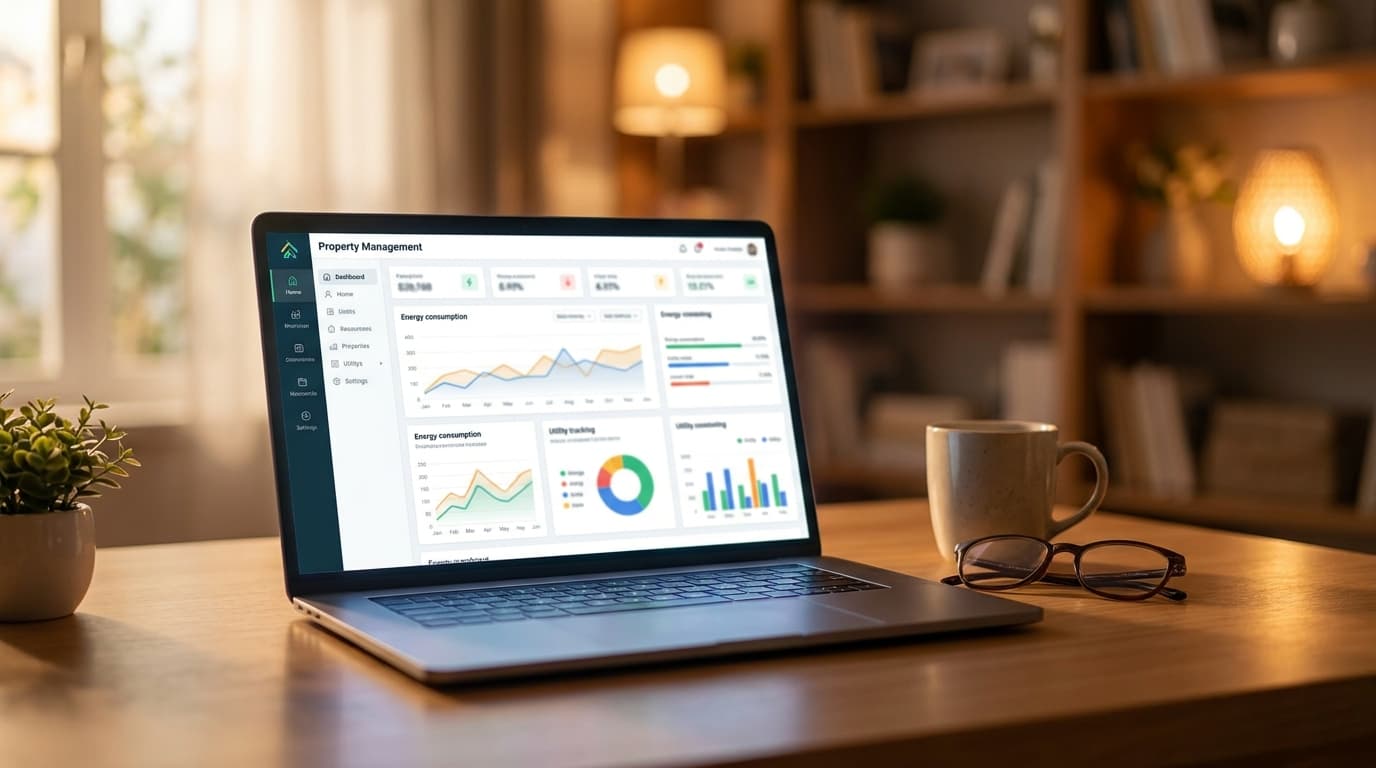
You're probably dealing with utilities in a way that feels far more manual than it should. One bill arrives by email, another comes by mail, a water charge has to be split across two tenants, and someone texts asking why their portion looks different from last month. By the time you've answered questions, updated a spreadsheet, and checked whether the bill was paid, an hour is gone.
That's the point where many independent landlords start looking for a better system. Not a giant enterprise platform built for a regional power company, but a simpler setup that brings the same discipline to a small portfolio.
Introduction to Utility Management Software
A landlord with four units usually doesn't think of utilities as a software problem at first. It feels more like an admin problem. Bills need to be collected, charges need to be explained, and reimbursements need to line up with the lease. But once those tasks repeat every month, they become a workflow problem.
That's where utility management software comes in. At its simplest, it pulls utility information into one place and helps you handle metering, billing, allocation, tracking, and follow-up without rebuilding the process every billing cycle. Instead of keeping one spreadsheet for electric, another for water, and a folder full of PDF invoices, you work from one operating view.
The broader software category has been growing quickly. In 2024 the global utility software market grew to $9 billion, marking a 10.8% year-over-year increase, according to Apps Run The World's utility software market forecast. That growth matters to small landlords because tools that once lived only in enterprise environments are now shaping lighter products and integrations.
For a landlord with 1 to 10 units, the practical value is straightforward. You want a repeatable way to track what was charged, what was consumed, what the lease allows, and what the tenant can see. If you're already using a broader rental property management software platform, utility tracking works best when it plugs into rent collection and lease records instead of sitting in a separate silo.
Keep this test in mind. If a tenant questions a utility charge, can you show the bill, the rule, and the calculation in under a minute?
Understanding the Key Concepts
The biggest misunderstanding about utility management software is that people treat it like a fancy bill folder. It's more useful than that. Good systems don't just store charges after the fact. They help you spot patterns, apply rules consistently, and turn utility handling into a routine process rather than a monthly scramble.
Why landlords get stuck in reactive mode
Reactive utility management looks familiar. A bill arrives. You open it, compare it to last month, decide how to split it, then send a message or invoice. If something seems off, you investigate later.
That sequence creates three common problems:
- Manual interpretation: You have to remember which lease uses flat reimbursement, which one uses a split, and which unit has a separate meter.
- Slow answers: When tenants ask questions, you're searching old bills and notes instead of opening one clean record.
- Late maintenance signals: A leak, faulty water heater, or HVAC issue may first appear as unusual usage, but manual tracking often catches it too late.

The three layers that make the software work
Modern utility management software relies on a three-layer principle of data acquisition, analytical processing, and actionable output, as explained in Cube Work's overview of utility management systems. That sounds technical, but the landlord version is easy to picture.
| Layer | What it means in plain language | Small-landlord example |
|---|---|---|
| Data acquisition | The system gathers utility information | Importing bills, reading smart meter data, or logging submeter readings |
| Analytical processing | The system looks for patterns or applies logic | Splitting a water bill by lease rule or flagging unusual consumption |
| Actionable output | The system creates something you can use | Sending a tenant charge, creating a report, or triggering a maintenance check |
The first layer is the intake step. Data can come from a utility provider, a smart meter, a submeter, or a manual reading entered on a schedule. The second layer applies rules. The software may compare current usage with prior periods, assign costs by unit, or identify an outlier that deserves attention. The third layer turns that analysis into action, such as an invoice, an alert, or a task for a vendor.
Practical rule: If software only stores utility bills, it's an archive. If it applies lease rules and creates next steps, it's management software.
For small landlords, that shift matters because utilities stop being a side chore and start becoming part of a controlled operating system. You don't need an enterprise budget to benefit from the logic. You need software that connects utility data to tenant records, lease terms, and payment workflows.
Exploring Core Features of Utility Management Software
When landlords compare products, the feature list can get noisy fast. The cleanest way to evaluate utility management software is to focus on the modules that directly affect billing clarity, time savings, and follow-through.
The five modules that matter most

The market for these tools keeps expanding. The global Utility Management Systems Software market was valued at USD 4.85 billion in 2024 and is projected to reach USD 10.57 billion by 2033, growing at a 9.5% CAGR, according to Cognitive Market Research's utility management systems software report. That growth reflects demand for software that combines several functions instead of handling only one.
The five modules worth watching are:
Automated metering
This module gathers readings from smart meters, submeters, or imported utility records. In a duplex, that might mean each unit's electric usage is captured separately while a shared water account is tracked at the property level.Billing engine
Within a billing engine, rules become charges. A billing engine can handle proration, recurring utility add-ons, and shared cost calculations. Without it, you're often rebuilding math in a spreadsheet every month.Cost allocation rules
Some properties split costs evenly. Others assign by unit, occupancy, or lease language. Strong software lets you define the rule once and reuse it consistently.Reporting and analytics
Dashboards show trends that are hard to see in PDFs. If one unit's water usage jumps unexpectedly, that report can point you toward a toilet leak or tenant question before the issue drags on.Tenant-facing visibility
Portals or shared statements reduce confusion because tenants can see the bill, the charge, and payment status in one place.
How the pieces connect
A feature list means very little if the modules don't connect. That's why landlords should think in workflows, not screens.
Here's a simple chain:
- Meter data enters the system.
- Rules process that data.
- Charges post to the tenant ledger.
- Messages or reminders send automatically.
- Exceptions create tasks for review or maintenance.
If you already use a CMMS maintenance software workflow, this connection becomes even more useful. A utility anomaly can move directly into maintenance instead of living as a note in your inbox.
A strong utility workflow doesn't just answer “What do I owe?” It also answers “Why did this change?” and “Who needs to act next?”
Benefits for Small Landlords
Small landlords often assume utility management software is more relevant to large apartment operators or public utilities. In practice, smaller portfolios can feel the benefits faster because the owner is usually doing the work personally.
Where small portfolios feel the pain first
The most obvious pressure point is tenant communication. 30% of small landlords report utility billing disputes as a primary source of tenant conflict, yet few have a unified software solution, according to Tellennium's discussion of utility management software for businesses. If you manage only a handful of units, even one recurring dispute takes a noticeable amount of your time.
Manual systems also create avoidable friction:
- Charges look arbitrary: Even when your math is right, tenants may not trust a number copied from a spreadsheet.
- History gets fragmented: Bills live in email, notes live on paper, and lease terms live somewhere else.
- Maintenance clues get missed: A spike in usage may be the first warning of a leak or equipment issue.
Why small landlords can benefit faster than large operators
A larger organization may need months of process alignment before a software rollout pays off. A landlord with a few units can feel the value as soon as utility data, lease terms, and tenant charges start flowing through one system.
The gains are usually practical, not flashy. You spend less time reconstructing what happened. Tenants get clearer billing. You can trace a charge back to a rule instead of defending it from memory.
Consider the contrast:
| Manual approach | Integrated approach |
|---|---|
| Search emails for bills | Open one property record |
| Recalculate allocations monthly | Reuse saved rules |
| Explain charges in text threads | Share itemized statements |
| Notice anomalies late | Review alerts and trends sooner |
That's the primary benefit. For a small portfolio, utility management software doesn't need to be complex. It needs to make recurring work boring, consistent, and visible.
Implementation and Integration Guidance
Most landlords don't fail at software adoption because the tool is too advanced. They struggle because they try to automate a messy process before deciding how the process should work. Start with the workflow you already have, even if it's imperfect.
Start with your current workflow
Write down how a utility charge moves today. Where does the bill arrive? Who reads it? How is it split? Where is the tenant charge recorded? What happens if someone disputes it?
Once you map that path, you can decide what the software must do. For many small landlords, the answer includes:
- Import utility records from bills or meter data
- Apply lease-based rules to each unit
- Sync charges into rent or tenant ledgers
- Store backup documentation for later questions
- Create a task when usage looks unusual

Pick a deployment and integration path
Some utility platforms are cloud-based. Some enterprise tools also offer on-premise deployment. For a small landlord, cloud tools are often easier to maintain because you don't want to manage infrastructure yourself.
The more important decision is integration. Your utility process should connect to the systems you already rely on.
A practical setup usually looks like this:
- Your lease or property platform stores the unit, tenant, and lease terms.
- Utility data enters from bills, smart meters, or submeters.
- Allocation rules convert that data into charges.
- Charges sync into the tenant ledger.
- Payment status and communication stay tied to the same account record.
If the utility tool can't pass information cleanly into rent collection and lease records, you'll still end up doing manual reconciliation. That defeats much of the benefit.
Bring asset thinking into small-property operations
Enterprise utility platforms often connect maintenance and asset performance. That sounds like a big-company concern, but the idea scales down well. Advanced platforms unify enterprise asset management and asset performance management, enabling condition-based monitoring that predicts failures and prevents outages before they occur, as described in Methodia's utility asset management overview.
For a landlord, translate that into plain property terms. If a boiler, water heater, irrigation system, or HVAC unit starts behaving differently, utility signals can help you catch the problem earlier.
Don't think only in terms of bills. Think in terms of equipment behavior. A strange utility pattern often starts as a building problem, not an accounting problem.
Practical Landlord Workflows
Theory helps, but landlords usually understand software best when they can see a day-to-day example. Take a four-unit building with one shared water account, separately metered electric, and leases that require tenants to reimburse utilities based on defined rules.

A four-unit example
At setup, the landlord creates one property record and four unit records. Electric accounts are linked to each unit. The shared water bill is linked at the building level with an allocation rule based on the lease terms.
When the month ends, the workflow is simple:
- The electric charges flow to the matching unit records.
- The water bill enters once, then the system applies the saved split.
- Each tenant ledger receives the correct utility charge.
- Statements show the amount and supporting detail.
That process removes the most common spreadsheet mistakes. No copying formulas from last month. No rechecking whether Unit 3 was vacant for part of the cycle. No guessing which lease addendum controls the split.
In a small building, consistency matters more than complexity. A simple rule applied every month is better than a clever manual workaround you have to remember.
The move-in and maintenance flow
The workflow gets even better at move-in. A new tenant is added to the unit, their lease record includes the utility responsibility, and future charges follow that rule automatically. When they log in, they can see rent and utility items together instead of receiving disconnected messages from different systems.
If a utility pattern changes sharply, the software can help route the next step. Maybe the water usage jumps in one cycle. Instead of waiting for a complaint, the landlord creates a maintenance task and sends it through a vendor management platform for rental repairs. Utility data becomes the trigger, not just the paperwork that shows up later.
A short demo can help make the workflow feel more concrete:
The big change is psychological as much as operational. Utilities stop being a separate monthly nuisance and become part of your normal property rhythm.
Selection Checklist and Onboarding Steps
The right software for a small landlord usually isn't the one with the longest feature sheet. It's the one that fits your portfolio, your leases, and your current operating habits.
What to check before you buy
Use this shortlist before you commit:
- Unit and meter fit: Confirm whether the system supports your mix of master meters, separate meters, or submeters.
- Billing rule flexibility: Check whether it can handle the exact reimbursement logic your leases use.
- Ledger integration: Make sure utility charges can flow into the same place where rent and fees are tracked.
- Tenant visibility: Look for a tenant-facing view that reduces billing confusion.
- Exception handling: Ask how the system flags unusual usage, disputed charges, or missing readings.
A simple onboarding sequence
A clean rollout is usually straightforward when you keep scope tight.
- Kickoff: Gather lease terms, recent utility bills, and unit details.
- Data migration: Enter properties, units, tenants, and billing rules.
- Meter setup: Connect smart meters, submeters, or manual reading schedules.
- Workflow testing: Run one billing cycle in test mode and compare the output with your expected charges.
- Tenant communication: Explain how utility charges will appear and where supporting records can be viewed.
Good onboarding isn't about speed alone. It's about making sure the first live billing cycle is clear, defensible, and easy to repeat.
If you want one place to manage leasing, rent collection, maintenance, and the records that make utility billing easier to support, VerticalRent gives independent landlords an AI-native platform built for small portfolios. You can screen tenants, generate leases, collect rent, track expenses, manage maintenance, and keep property operations organized without adopting enterprise software.
Put this into practice
VerticalRent tools related to this guide
Legal Disclaimer
VerticalRent and its authors are not attorneys, CPAs, or licensed legal or financial advisors, and nothing on this site constitutes legal, tax, or professional advice. The information in this article is provided for general educational purposes only. Landlord-tenant laws, eviction procedures, security deposit rules, and tax regulations vary significantly by state, county, and municipality — and change frequently. Nothing on this site creates an attorney-client relationship. Always consult a licensed attorney or qualified professional in your jurisdiction before taking any action based on information you read here.
Co-founded VerticalRent in 2011, growing it from nothing to 100k landlords and renters. Sold it in 2019, then re-acquired it in 2026 to make it better than ever.


